Watch time for videos featuring consistent characters jumped by 75% year-over-year. That’s not a typo. Viewers genuinely connect with recognizable faces, even when those faces are created by artificial intelligence.
If you’re a content creator looking to boost engagement and build a loyal audience, creating consistent AI characters might be your secret weapon. With Canva’s new AI video tool powered by Google’s Veo 3, you can now create professional-looking characters without needing expensive equipment or hiring actors.
In this guide, I’ll show you exactly how to build a system for creating consistent AI characters that will make your content more engaging and help you build a stronger brand.
Why consistent characters matter more than you think

Think about your favorite TV shows or YouTube channels.
What makes you instantly recognize them? It’s usually the consistent faces, personalities, and styles you see episode after episode. The same principle works for AI-generated characters.
When viewers see the same character across multiple videos, several psychological factors come into play:
- Recognition builds trust. Our brains are wired to feel more comfortable with familiar faces. When viewers recognize your character, they’re more likely to click on your videos and watch them longer.
- Consistency creates expectation. Regular viewers start to expect and look forward to seeing your character. This anticipation can turn casual viewers into subscribers who actively seek out your content.
- Familiarity breeds loyalty. The more viewers see your character, the more attached they become. This emotional connection is what transforms one-time viewers into long-term fans.
Popular YouTubers like MrBeast, Emma Chamberlain, and PewDiePie have built massive followings partly because viewers recognize them instantly. With AI characters, you can achieve similar recognition without being on camera yourself.
Understanding Canva’s AI Video Tool with Veo 3

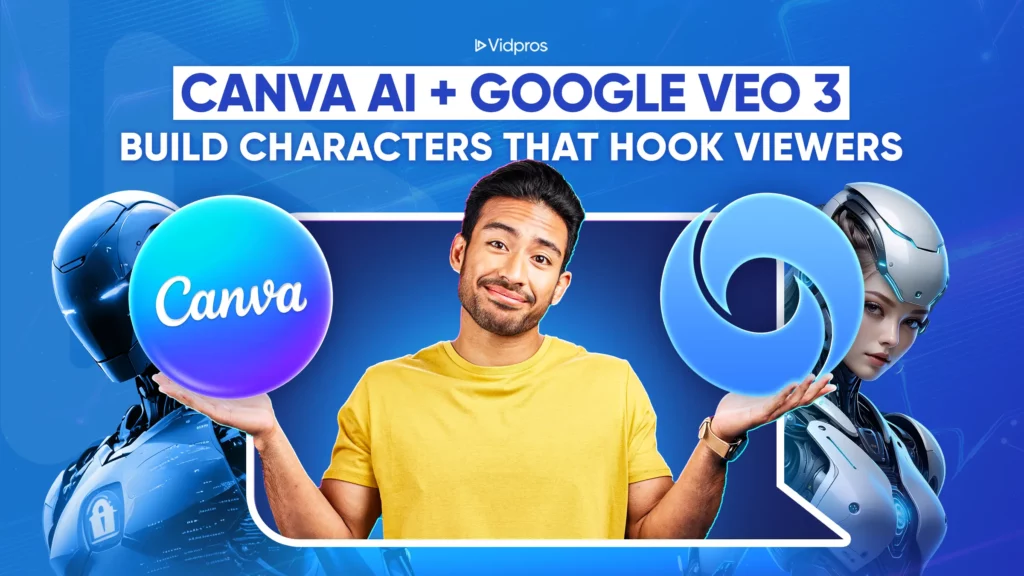
Google’s Veo 3 is one of the most advanced generative AI video generation models available today, and Canva has integrated it into its platform through the “Create a video clip” feature. This new feature provides access to professional-level video creation tools without the steep learning curve associated with complex software.
Here’s what makes this combination powerful:
- All-in-one creation. Veo 3 doesn’t just create visuals; it also enhances them. It generates complete AI content, including dialogue, background sounds, and music, with synchronized audio, all in a single prompt. This means you get polished content that would typically require multiple tools and hours of editing.
- Seamless editing. Once your AI video is generated, you can edit it directly in Canva using simple editing tools. Add your brand colors, text overlays, captions, and other design elements without switching between different applications.
- Brand consistency. Canva’s brand kit integration allows you to apply your consistent fonts, colors, and style elements in true Canva fashion to every video, making your content instantly recognizable.
- User-friendly, intuitive interface. Unlike many AI video tools that require technical knowledge, Canva’s design platform interface is designed for creators of all skill levels.
Creating your character bible: The foundation of consistency

Before you generate your first video, you need to create what’s called a “character bible.” Think of this as your character’s DNA that you’ll use in every single prompt to ensure consistency.
Your character bible should include these seven essential elements:
1. Identity and appearance
Describe your character’s physical features in detail: age, gender, hair color and style, clothing preferences, and any signature accessories. Be specific. Instead of “young person,” write “25-year-old woman with shoulder-length brown hair, wearing a navy blue blazer.”
2. Personality traits
Choose three main personality traits, one character flaw, and one clear goal or motivation. For example: “Enthusiastic, knowledgeable, slightly awkward. Flaw: talks too fast when excited. Goal: help people learn new skills.”
3. Voice characteristics
Define how your character speaks: tone (formal or casual), pacing (fast or slow), accent (if any), and include a sample line they might say. This helps maintain consistency in AI-generated dialogue.
4. Cinematography preferences
Specify your preferred camera angles, lens types, lighting conditions, and overall visual mood. Consistent cinematography makes your videos look professional and cohesive.
5. Brand color anchors
Choose two primary colors that tie to your brand and mention them in every prompt. This creates visual consistency across all your content.
6. Movement and gestures
Describe distinctive gestures, expressions, or ways your character moves. These details help viewers recognize your character even in different scenes.
7. Negative cues
List things you never want to see, like “no glasses,” “no tattoos,” or “no formal suits.” This prevents unwanted variations that could break consistency.
Write your character bible once and save it as a template for future use. You’ll paste relevant sections into every video prompt you create.
Step-by-step workflow for consistent characters

Now that you have your character bible, here’s the exact workflow to create consistent videos:
Step 1: Generate your base clips
Copy your character bible into Canva’s video creation text prompt. Keep your camera direction consistent for each type of content. Medium shots (chest up) at eye level work well for most educational or entertainment content.
Step 2: Apply brand consistency
Use Canva’s brand kit to apply your fonts, colors, and design elements to every video. This step is crucial for making your content instantly recognizable.
Step 3: Create prompt variations
Develop four main prompt templates while keeping your character identity the same:
- Hook prompts. For attention-grabbing opening clips.
- Explanation prompts. For educational or informational content.
- Reaction prompts. For commentary or response videos.
- Call-to-action prompts. For ending clips that encourage engagement.
Step 4: Build a scene bank
Choose five to seven background settings and rotate between them. Good options include a modern desk setup, a rooftop at sunset, a cozy coffee shop, a minimalist studio, or an urban street scene. This variety keeps your content fresh while maintaining character consistency.
Step 5: Develop your thumbnail strategy
Save high-quality stills from your best character shots to use in thumbnails. Apply the same headline style, colors, and layout to create instant brand recognition in search results and suggested video feeds.
Advanced techniques for better consistency
Once you’ve mastered the basics, these advanced techniques will help you achieve better results without requiring technical skills:
Batching your content creation
Create multiple clips in a single session while your character’s appearance is fresh in the AI’s “memory.” This reduces variation between videos and saves time.
Using reference images
When possible, upload a still image of your character to guide the AI. This technique works exceptionally well for maintaining facial features and overall appearance across videos.
Controlling audio quality
While Veo 3 generates dialogue automatically with synchronized sound, it is recommended to add your own voiceover for brand consistency. If so, mute the AI audio and record over it, keeping your microphone settings identical each time.
If recording your own voiceover feels overwhelming or you’d like to focus more on content creation than technical editing, consider working with Vidpros, a video editing service designed for content creators. They can handle the audio syncing, color correction, and final polish while you focus on developing your character and creating engaging content.
Technical consistency tips
- Use the same aspect ratio for all videos (16:9 for YouTube, 9:16 for Shorts).
- Maintain consistent lighting conditions in your prompts.
- Maintain organized file naming conventions for easy reference.
- Save successful prompts as templates for future use.
Making your characters work harder for your brand
Creating consistent characters is just the beginning. Here’s how to make them truly effective for building your audience:
Optimize the first 8 seconds
Use your character to make bold claims or perform eye-catching actions right at the beginning of videos. Consistent characters in intense opening moments create immediate recognition and encourage viewers to keep watching.
Create recurring story arcs.
Plan short storylines that span two to three videos. This gives viewers a reason to return and creates anticipation for your next upload. Your character might be working toward a goal, learning a new skill, or facing a challenge that unfolds over multiple episodes.
Maintain visual branding elements.
Beyond your character, keep other visual elements consistent:
- Use the same caption style and accent color in every video.
- Apply consistent lower thirds and text overlays.
- Number your videos or use consistent title cards.
- Maintain the same screen layouts and transitions.
Build strategic playlists
Organize your character-driven content into themed playlists. This encourages binge-watching and helps YouTube’s algorithm better understand the structure of your content.
The business benefits of consistent AI characters
When you nail character consistency, three significant benefits emerge for your channel:
- Faster recognition. Viewers scroll through hundreds of videos daily. A consistent character acts as a visual shortcut, helping your content stand out in crowded feeds and search results.
- Increased watch time. Familiar characters keep viewers engaged for more extended periods. When people recognize and connect with your character, they’re more likely to watch complete videos and click on related content.
- Professional brand perception. Consistency signals professionalism and attention to detail. Viewers are more likely to trust and subscribe to channels that look polished and well-planned.
These benefits compound over time. As your audience grows familiar with your character, each new video gets a head start in terms of engagement and retention.
Getting started
Ready to create your first consistent AI character? Here’s exactly what to do:
- Write your character bible using the seven elements outlined above. Spend time on this step; it’s the foundation of everything that follows.
- Create your first batch of 3-5 test videos using the same character description. This will help you refine your prompts and identify what works.
- Analyze the results and adjust your character bible based on what you see. Some descriptions work better than others for AI generation.
- Establish your workflow using the five-step process outlined in this guide. Consistency comes from following the same steps every time.
- Plan your content calendar around your character. Think about storylines, recurring themes, and how your character will evolve.
Common mistakes to avoid
- Changing character details mid-series. Stick to your character bible religiously, especially in the early stages of your journey.
- Inconsistent environments. Rotating between too many backgrounds can confuse viewers. Stick to your scene bank.
- Ignoring brand elements. Your character is just one part of visual consistency. Don’t forget fonts, colors, and layout elements.
- Not using Canva Shield. To protect your character designs.
- Rushing the character bible. A well-thought-out character bible saves hours of revision later.
What’s coming next for AI characters in videos
AI video generation technology is evolving rapidly. AI products like Veo 3 represent just the beginning of what’s possible for content creators. As these multi-model tools become more sophisticated and accessible, consistent AI characters will likely become standard for many types of content.
The creators who start building consistent character libraries now will have a significant advantage as the technology improves and the competition increases. Your investment in learning these techniques today will pay dividends as AI tools become increasingly influential.
Capping off
Creating consistent AI characters isn’t just a trendy technique; it’s a strategic approach to building a stronger, more recognizable brand. With Canva’s integration of Veo 3, you have access to professional-level tools without the traditional barriers of cost and complexity.
Your character bible is your roadmap, your workflow is your vehicle, and your audience’s growing recognition is your destination. Every successful character starts with a single video, but it’s the consistency across dozens of videos that builds a real audience connection.
The statistics don’t lie; character-driven content performs better.
Viewers want familiar faces to guide them through information, entertainment, and experiences. With AI tools like Veo 3, you can give them exactly what they’re looking for while building the kind of channel that stands out in today’s crowded content sector.
Ready to take your AI character videos to the next level? While you focus on creating fantastic content with your consistent characters, let Vidpros handle the technical editing work. Book a call with Vidpros today and discover how our video editing service can help content creators like you produce professional-quality videos that keep your audience coming back for more.