Creating professional videos typically requires specialized equipment, skilled actors, professional studios, and expensive editing software. But what if you could make great videos just by typing? That’s what Synthesia 3.0 does.
This guide explains everything you need to know about this AI video tool.
What is Synthesia?
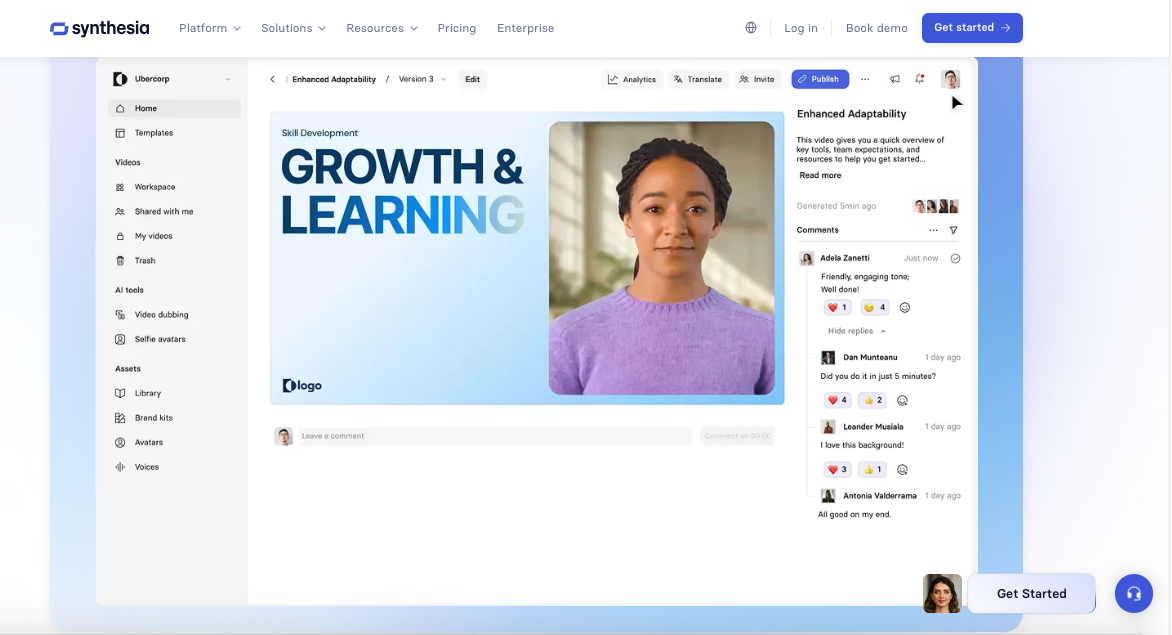
Synthesia is an AI tool that converts written text into professional videos featuring digital people who appear and sound realistic. You don’t need to film yourself or hire actors. You type what you want to say, select a digital person (called an avatar), and the AI generates a video where the avatar speaks your words with realistic facial movements and natural-sounding speech.
The platform works in your web browser. You don’t need cameras, microphones, or special software – no screen recorder or traditional filming equipment is required.
About the company
Synthesia started in 2017. It was created by AI researchers, including Victor Riparbelli (CEO), Steffen Tjerrild (COO), and two professors named Lourdes Agapito and Matthias Niessner.
The company gained fame in November 2018 when it showcased its technology on the BBC. Since then, it has grown a lot:
Over 60,000 customers use it.
More than 60% of the biggest companies in America use Synthesia.
In January 2025, investors invested $180 million, valuing the company at $2.1 billion.
The team comprises over 400 AI researchers and engineers based in London, New York, and across Europe.
What makes Synthesia special?
Two main features make Synthesia different from other video tools:
Realistic AI Avatars
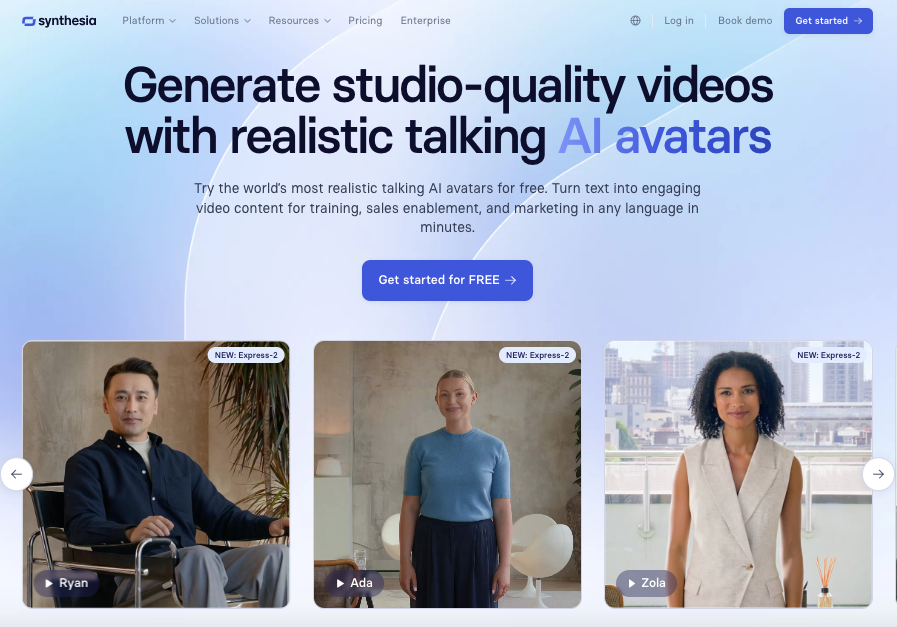
Synthesia’s Express 2 technology creates avatars with natural face expressions, hand movements, and body language. These aren’t stiff robot-like figures. They move and talk in ways that feel real and engaging.
You can create unlimited custom avatars from a simple text description. You can place them in any background with realistic lighting. Soon, you’ll be able to make a personal avatar from just one photo.
Multiple Languages
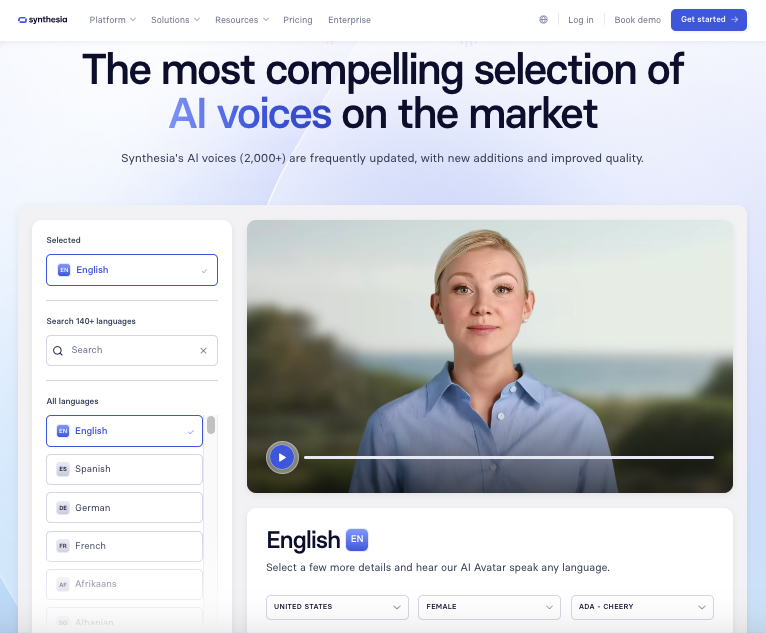
Synthesia can automatically translate and dub videos into hundreds of languages with one click. The AI preserves the original speaker’s voice qualities and ensures that the lip movements match the translated words perfectly.
The Express Voice technology (similar to what ElevenLabs offers for audio) captures unique accents, tone, rhythm, and dialect from just a few seconds of audio. This means personalized avatars sound precisely like the real person.
How Synthesia works for video creation
Making a video with Synthesia is simple. The entire process typically takes 30-40 minutes from start to finish, even for your first video if you’ve never created one before. You don’t need video editing skills or technical expertise.
Step 1: Write your script
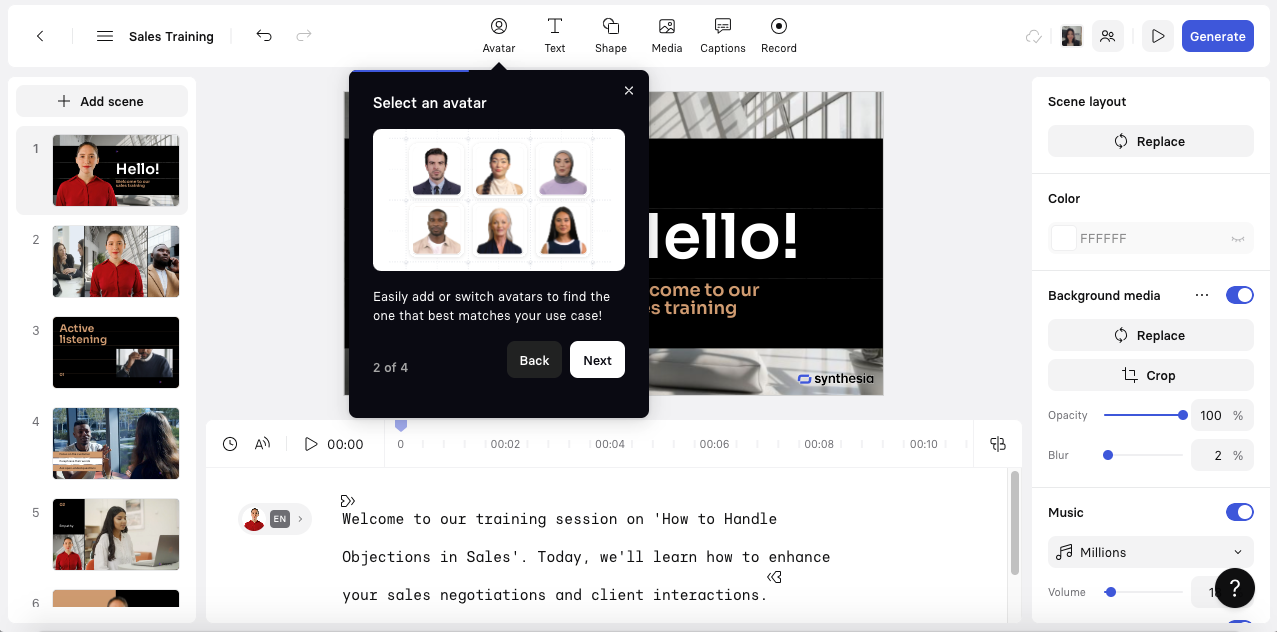
You have several ways to add your script:
Type directly into the platform.
Upload files like PDFs, Word documents, PowerPoint slides, or text files (the AI will turn them into video scripts).
Use the AI Video Assistant to help write or improve your script.
Tips for good results:
Keep one main idea per scene with 1-3 short sentences.
Use a clear structure: Hook → Problem → Solution → Proof → Call to Action.
Add pauses and use the Pronunciation Dictionary for difficult words.
Step 2: Choose an avatar
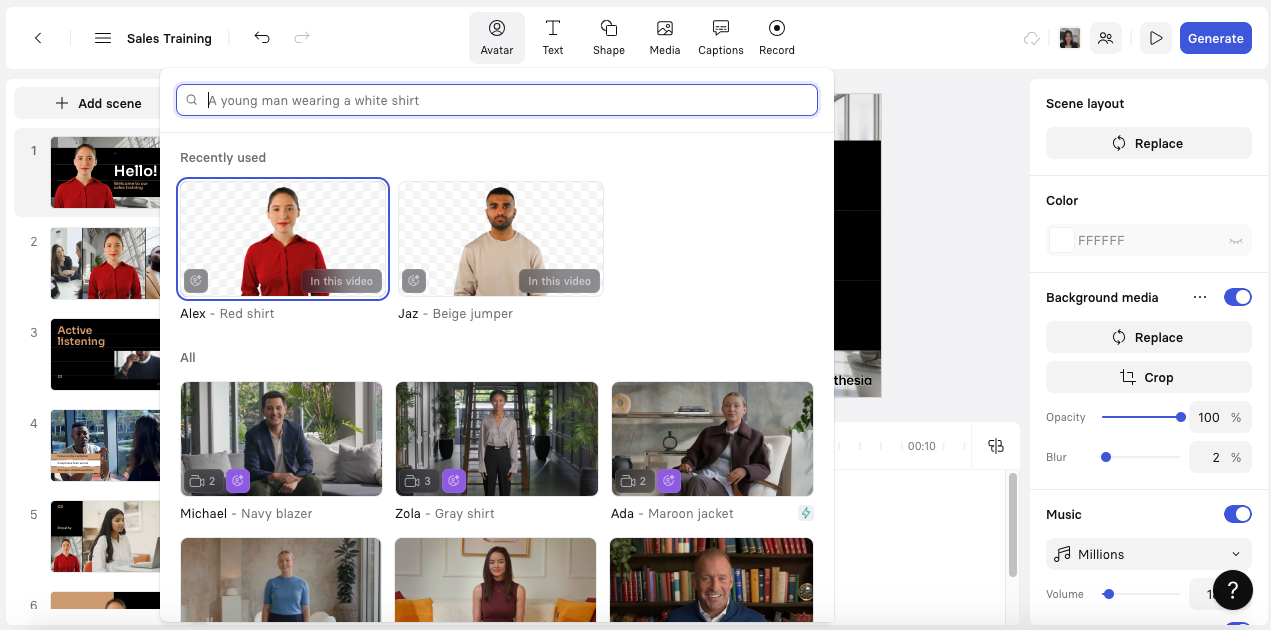
Synthesia features over 230 AI avatars that represent diverse ethnicities, genders, and professional styles. These avatars are expressive with natural face movements and gestures that make your content more interesting.
Select an avatar that aligns with your brand or target audience. You can also create custom avatars for more personalization.
Step 3: Pick a voice and a language
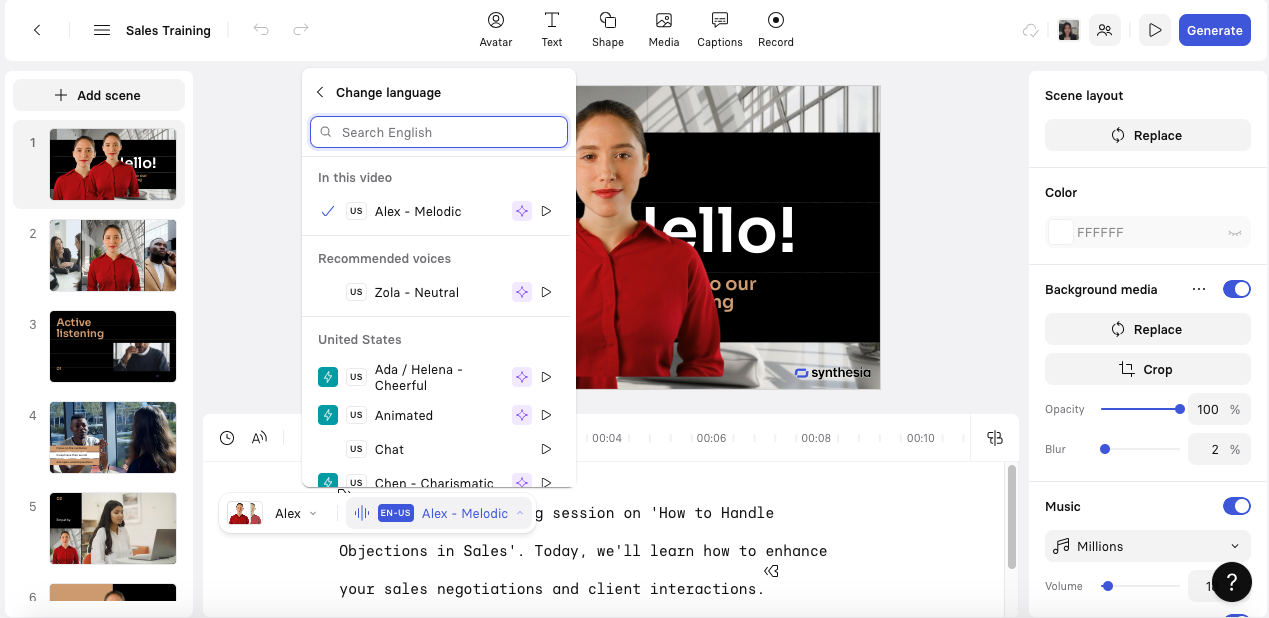
Synthesia supports over 140 languages and accents, making it easy to reach people worldwide. You can type your script in any supported language or translate it later.
The platform utilizes high-quality text-to-speech technology that produces a natural sound. If you notice any pronunciation mistakes, you can easily fix them and add pauses or emphasis where needed.
Step 4: Customize your template
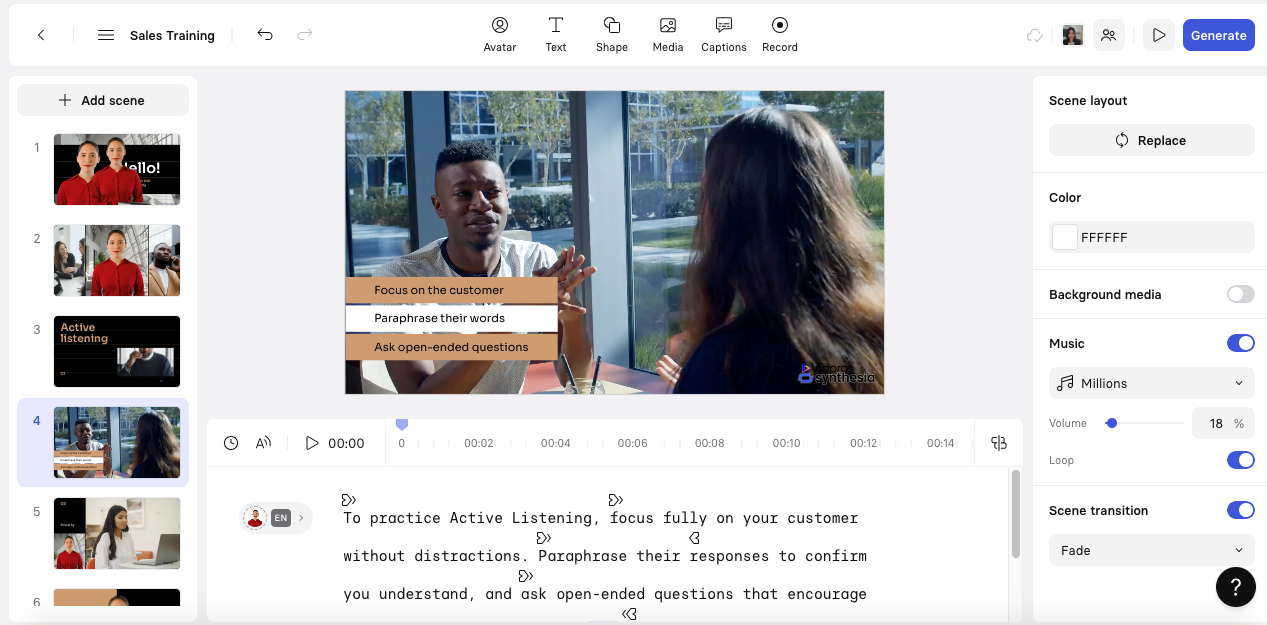
Start with one of over 55 professional video templates designed for training, marketing, explainer videos, and more. These templates can be changed:
Change layout, colors, fonts, and logos using the Brand Kit.
Choose different aspect ratios (16:9 for YouTube, 9:16 for TikTok).
Add multiple scenes with different layouts.
Step 5: Export and share
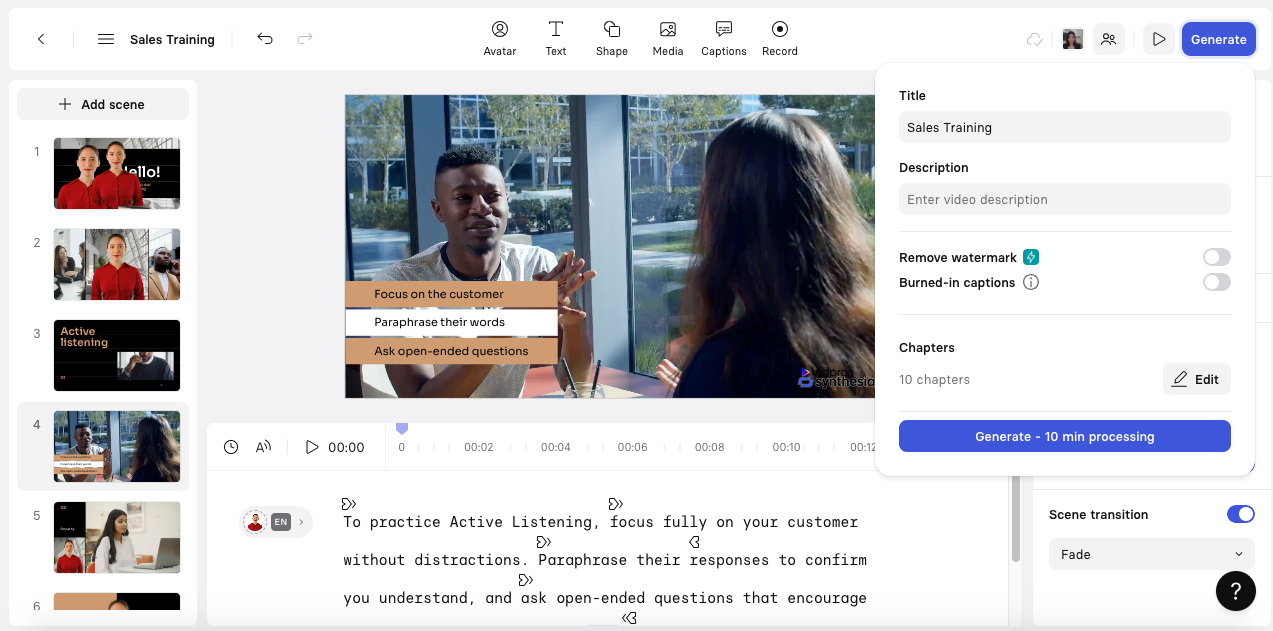
After editing your video, click generate. Videos are usually ready in about 10 minutes.
You can:
Export videos in standard formats for web, social media, and learning systems.
Share videos directly with links or download them for offline use.
Create versions in multiple languages.
What’s new in Synthesia 3.0
For almost 100 years, video has remained essentially unchanged since the first TV broadcast in the 1930s. You press play, watch what someone recorded, and that’s it. There’s no conversation, just one-way communication.
But Synthesia 3.0 is changing video generation from creating content you watch into experiences you can interact with. Think about how websites have changed. The first websites resembled newspapers, featuring only text on a screen. As technology improved, websites became more interactive, featuring real-time updates, animations, and personalized feeds.
Now it’s the video’s turn to change. Here are the significant new features in Synthesia 3.0:
1. Express 2 Avatars (Enhanced realism)
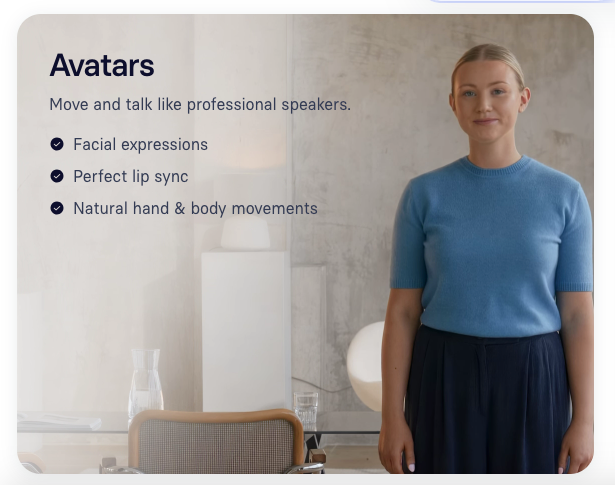
The new Express 2 technology makes avatars even more realistic and engaging:
Purposeful hand and body gestures. Avatars are no longer locked to the frame. They can move their hands and show genuine emotion. Body language makes up more than half of human communication, and Express 2 brings this essential element to digital avatars.
Create avatars from text prompts. You can now create completely new avatars with a single prompt and place them in any environment. Want a financial advisor in a suit discussing market trends from a Wall Street office? Or a certified scuba instructor in a wetsuit underwater? The lighting and perspective are so realistic that avatars blend naturally into their environments.
B-roll footage (check out more AI b-roll generators). You can prompt background footage showing your avatar performing specific tasks, such as walking, driving, cooking, or any other action you can imagine.
Coming soon: One photo avatars. By early next year, creating personal avatars will be even simpler—upload one photo to access all the same features.
2. Express Voice (Perfect accent preservation)
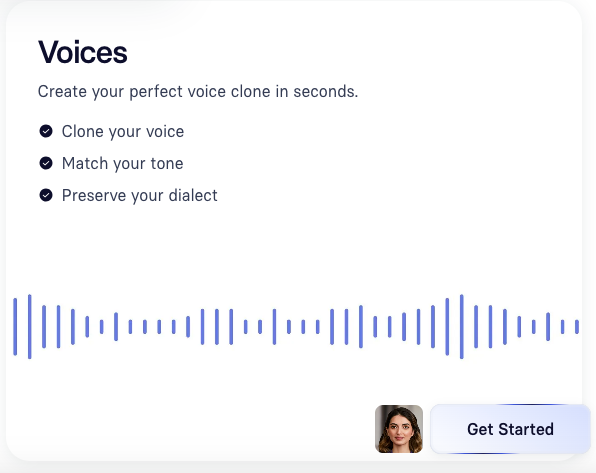
Most voice cloning tools require speakers to adopt American, British, or Australian accents, taking away the uniqueness of their voice. Express Voice is different:
Captures your tone, accent, dialect, and rhythm with just a few seconds of audio.
Your personal avatar doesn’t just look like you—it sounds exactly like you.
Preserves all the small details that make your voice truly unique.
3. Video Agents (Two-way conversations)
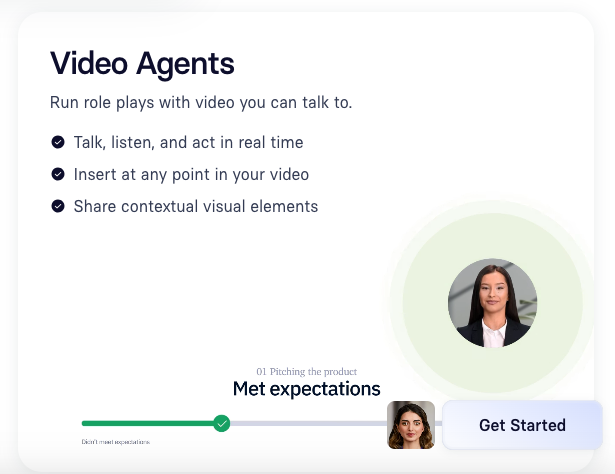
This is the most significant new feature. Video agents aren’t just chatbots with faces—they’re AI-powered avatars that can have honest conversations with you inside a video.
What Video Agents can do:
Run training practice sessions (like handling angry customers or negotiating deals).
Screen job candidates (conduct first interviews and evaluate responses).
Guide customers through complicated processes step-by-step.
Share visual information, such as graphs, images, and videos, during the conversation to enhance understanding and comprehension.
Example: Imagine you’re learning sales techniques. A video agent can practice a mock sales pitch with you. After you finish, it rates your performance in real time—scoring how well you described the product, communicated value, and addressed concerns. Then it suggests specific improvements, just like a human coach would.
What makes Video Agents different from regular chatbots:
Act like humans, not like robot chat windows.
Powered by advanced AI language models, not rigid pre-programmed responses.
Give answers specific to your business, not generic responses.
Remember previous conversations instead of starting fresh each time.
Send data to other systems so your company can track learning and performance.
Work inside Synthesia videos, not as separate tools.
Best Part: Creating a video agent requires just a few clicks in the Synthesia editor. No coding skills needed.
4. Copilot (Enhanced AI assistant)
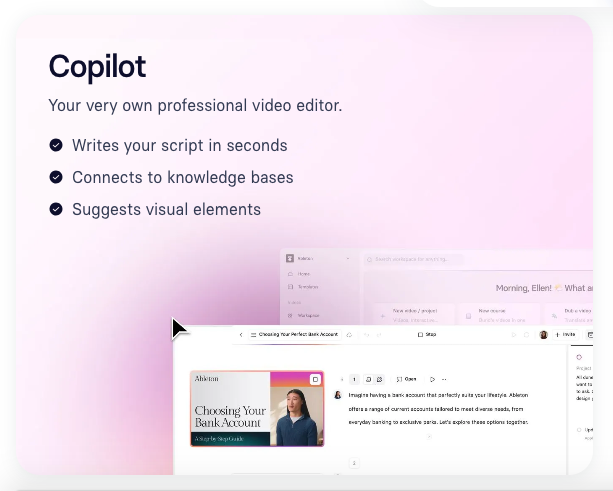
Last year, Synthesia had a basic AI assistant. Now they’ve made it 100 times better with Copilot.
How Copilot works:
Copilot is like having a professional video editor sitting next to you who knows everything about Synthesia. Just tell Copilot what you want to make, and it:
Writes clear, engaging scripts.
Suggests matching visuals (avatars, quizzes, background footage, music).
Pulls accurate information from your company’s knowledge bases and documents.
Make sure everything matches your brand (colors, fonts, style).
Through partnerships with Google and OpenAI, and integration with other AI tools, Copilot gives you unlimited access to the most advanced AI models for video, audio, and text creation. Today, most Synthesia videos are made with AI assistance, and this upgraded Copilot makes the process even smoother.
5. Enhanced interactive elements
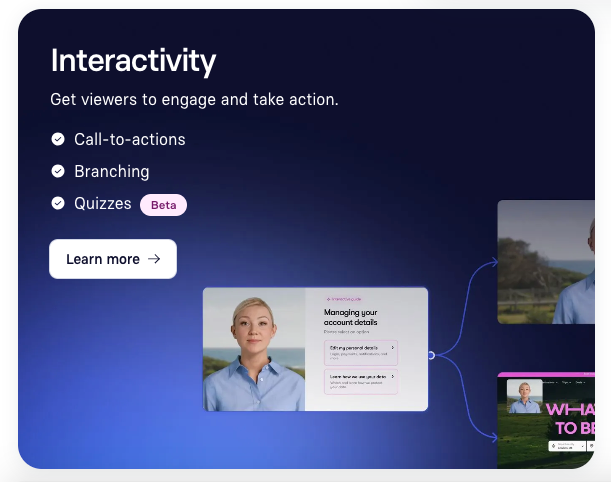
Early results suggest that interactive features can increase the amount of time viewers spend watching and engaging by up to 70%. Synthesia 3.0 makes videos even more interactive:
New interactive features you can add:
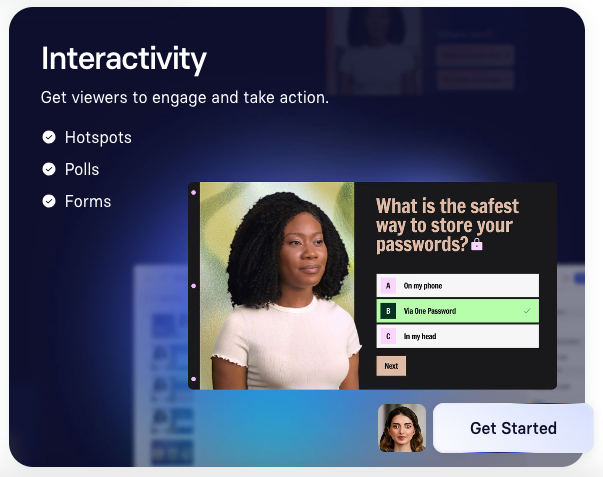
Quizzes and hotspots. Test knowledge or let viewers click areas of interest.
Embedded third-party tools. Add calendars, polls, and feedback forms directly in videos.
Surveys. Gather viewer opinions without leaving the video.
Calendar links. Let prospects schedule meetings right after watching your demo.
Branching scenarios. Let viewers choose their own path through the video based on their decisions.
This changes the video from something you watch into an interactive experience where you actively participate.
6. Advanced Analytics (Data revolution)
Video agents don’t just have conversations—they capture real-time data and send it back to your company’s systems. This creates an entirely new type of business data.
Beyond views and clicks – Now you can measure:
Did employees actually learn the material?
How well are they applying skills like conflict resolution, listening, or negotiation?
Are learners improving in specific areas over time?
Performance outcomes from training sessions
Competency development over time
This data enables companies to make informed training decisions based on actual results, rather than assumptions.
7. AI Dubbing for existing videos
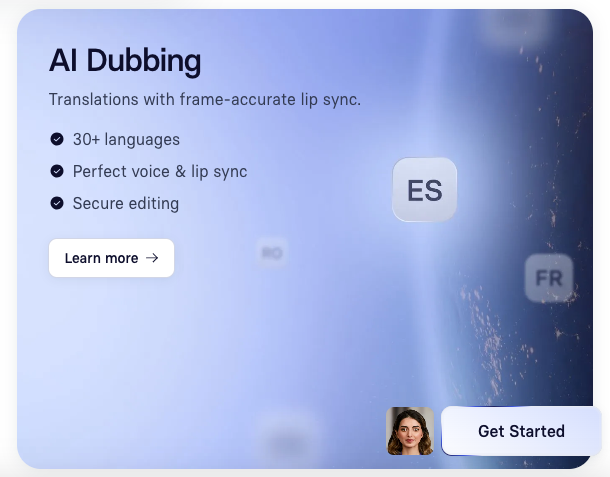
Synthesia is expanding video translation with AI dubbing for existing content:
Upload any video—webinars, product demos, archived content.
It will automatically translate into any language while keeping the original voice and lip sync perfectly matched.
Upload videos (MP4, MOV, WEBM, or YouTube links) up to 2 minutes long.
Select your target languages and generate fully dubbed versions in minutes.
You can edit translations with synonyms and paraphrasing without losing video quality.
8. Courses (Complete learning platform)
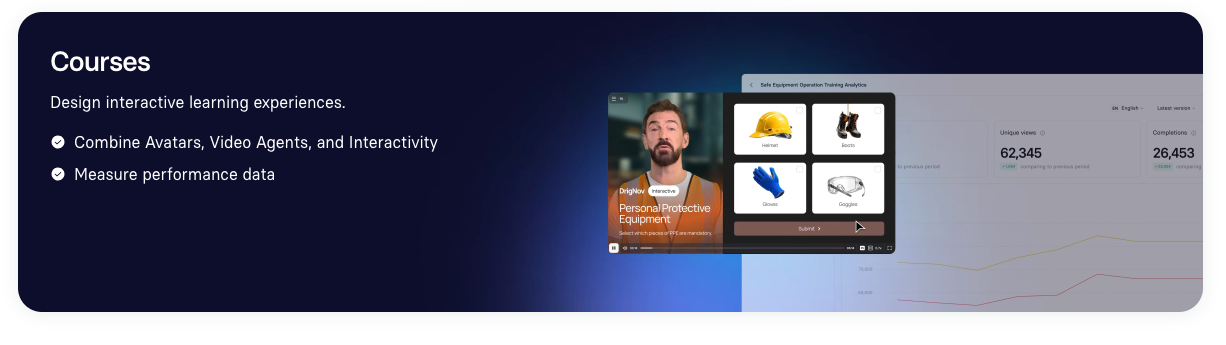
Synthesia is introducing Courses—a new approach to workplace learning that goes beyond simply watching videos.
What are Courses?
Courses bring together interactive learning videos, avatars, video agents, and interactive elements, such as quizzes, in one organized learning path. You can define specific goals and measure how learners develop key skills.
Example: Safety training
Imagine a factory safety course where learners:
Choose the required safety equipment from a visual checklist.
Explore factory floor risks by clicking hotspots that show hazards.
Make decisions during emergency scenarios with different paths based on their choices.
Practice with a supervisor through role-play using video agents.
Benefits of Courses:
All learning content in one place.
Hands-on practice, not just theory.
Instant feedback on performance.
Track skill development over time.
More engaging and memorable learning.
This isn’t just about watching information—it’s about practicing fundamental skills and receiving immediate feedback. Learners actively engage with content instead of passively consuming it.
Synthesia core features (Available in all plans)

These are the basic features that have been available in Synthesia before version 3.0:
AI Avatars
Synthesia’s avatars utilize advanced technology that analyzes authentic human facial expressions, speech patterns, and subtle facial movements. The AI maps these to digital characters, ensuring that lip movements match speech and exhibit natural emotional gestures.
Stock Avatar Library. The platform features over 230 “Expressive Avatars” representing various ethnicities, genders, and professional personas. These ready-to-use digital presenters work well for corporate training, customer support videos, sales, and marketing content.
Custom Avatars. Users with advanced plans can create custom personal avatars—basically digital twins. You record about 9 minutes of yourself speaking (using a webcam or phone). The AI then creates a unique avatar that looks and sounds like you, complete with personalized voice cloning and natural gestures.
Languages and Voice
Synthesia supports over 140 languages and dialects, letting you create videos for a global audience. The AI voices are natural and expressive in all languages, with natural rhythm and emotion that engage your audience.
Video Templates
Over 55 professional video templates designed for training, marketing, explainer videos, and more. These templates are fully customizable—you can change layout, colors, fonts, and logos using the Brand Kit.
Video Translation and Subtitles
Synthesia can automatically translate videos into 80+ languages, including voice, on-screen text, and subtitles. The AI preserves the original speaker’s voice tone and ensures that the translated audio matches the avatar’s lip movements perfectly.
The platform automatically generates accurate subtitles that align with the spoken content. You can customize the subtitle appearance—fonts, colors, and sizes—and adjust the timing for better readability.
Basic video editing
Add multiple scenes with different layouts.
Insert visuals, animations, and captions.
Choose different aspect ratios (16:9 for YouTube, 9:16 for TikTok).
Export videos in standard formats.
Share videos directly with links or download them for offline viewing.
How to use Synthesia

Corporate Training Videos
Synthesia enables you to create professional training and instructional videos in minutes, eliminating the need for cameras or actors. Just upload scripts or documents and select AI avatars and voiceovers.
Videos can include visuals, animations, captions, and interactive elements to increase learning and engagement. There are over 300 pre-designed learning templates for training across various industries.
Marketing and sales videos
Synthesia helps marketers create high-quality videos that tell their brand’s story and explain products without the need for cameras or studios. You can create personalized videos with AI avatars, branded with company logos and colors, and translated into over 140 languages.
You can easily create:
Product demos showing features and benefits.
Explainer videos that simplify complex topics.
Social media content for TikTok, Instagram, and LinkedIn.
Customer testimonials with avatars representing different customer personas.
Educational content
Synthesia makes e-learning videos in minutes using AI avatars that speak naturally and support over 140 languages. No filming or actors needed.
Over 300 ready-to-use templates for training and education help build diverse video content in minutes.
Podcasting
Use Synthesia to turn podcast audio or scripts into video podcasts by adding AI-generated avatars that narrate the episodes. This lets podcasters publish on YouTube and reach a wider audience beyond audio-only channels.
Pricing
Synthesia offers different pricing levels for different needs (for a broader look, see our breakdown of AI video generation costs):
Basic Plan
Cost: Synthesia free plan ($0)
Video Minutes: 3 minutes per month
Avatars: 9 AI avatars
Credits: 360 credits per month
Best For: Getting started without a credit card
Starter Plan
Cost: $18 per month (billed yearly) or $29 per month
Video Minutes: 120 minutes per year
Avatars: 125+ AI avatars
Credits: 14,500 credits per year
AI Dubbing: 120 minutes per year
Additional Features: Download videos, AI Video Assistant, remove Synthesia logo, one editor & 3 guests
Best For: Individuals creating regular video content
Creator Plan (Most popular)
Cost: $64 per month (billed yearly) or $89 per month
Video Minutes: 360 minutes per year
Avatars: 180+ AI avatars plus five personal avatars
Credits: 44,000 credits per year
AI Dubbing: 360 minutes per year
Additional Features: Branded video pages, API access, multiple avatars per scene, interactive videos, one editor & 5 guests
Best For: Content creators and growing teams
Enterprise Plan
Cost: Custom pricing
Video Minutes: Unlimited
Avatars: 230+ stock AI avatars plus unlimited personal avatars
Additional Features: 1-click translations into 80+ languages, SAML/SSO, live team collaboration, brand kits, SCORM export, dedicated CSM, tailored onboarding
Best For: Large organizations with extensive video needs
Cost savings
Traditional video production can cost between $2,500 and $50,000 per minute of finished footage. This includes actors, crew, location, equipment, and editing.
Synthesia AI video production can cost as low as $2.13 per minute—70-90% less than traditional production.
Synthesia also saves time. It reduces video production from weeks to hours or days by automating script-to-video conversion, avatar lip-syncing, voice generation, and editing.
Synthesia vs Competitors

Synthesia vs Vidyo.ai
Synthesia creates new, completely AI-generated videos with realistic avatars from text scripts. Vidyo.ai turns existing long videos into short clips for social media.
Utilize Synthesia for professional and scalable video production. Use Vidyo.ai to maximize the value of your existing videos.
Synthesia vs Hour One
Both platforms use AI-generated avatars. Synthesia offers more languages, more avatars, deeper customization options, and better enterprise features.
Hour One may be more affordable for smaller creators, but it offers fewer language options and lacks advanced tools.
Synthesia vs Traditional video production
Synthesia saves up to 90% of the cost by removing the need for actors, filming, studios, and editing. Turnaround time is measured in hours to days, rather than weeks or months.
Video quality is very consistent with professional avatars, but less cinematic than live action.
Best for training, marketing, and explainer videos that need scalability and language options. Traditional methods are best for high-end creative or cinematic productions.
Pros and Cons
Pros
Time and cost. Synthesia cuts video production costs by removing the need for cameras, actors, locations, and complex editing. Users can create high-quality videos in minutes, not weeks. Businesses save thousands of dollars per video.
Multilingual. With support for over 140 languages, Synthesia enables users to create videos for diverse global audiences without incurring the costly expenses of traditional production. AI dubbing maintains lip sync and voice naturalness across languages.
No camera or studio required. Content creation is as simple as typing text. AI handles avatar creation, speech, and animation. This removes technical barriers, letting anyone with minimal skill create professional videos.
Consistency. AI avatars offer branded presenter styles with realistic face expressions, gestures, and voiceovers. Unlike live shoots, videos maintain a consistent appearance and tone, which is essential for corporate branding.
Scalability. Cloud technology enables you to create and distribute thousands of videos, support multiple languages, automate processes via API, and facilitate team collaboration.
Cons
Avatar realism. While Synthesia avatars are very realistic, they still fall short of perfectly copying human appearance. Occasional differences in facial proportions and subtle expressions can detract from the natural appearance.
Limited emotions. AI avatars currently offer a limited emotional range and struggle to show deep or complex human emotions. This can result in videos that feel overly scripted and robotic. Avatars are most effective for straightforward informational content.
Template limits. Users are limited to pre-designed templates and layouts, which restricts creative freedom compared to full video editing software.
Internet required. Synthesia is entirely cloud-based, so a stable internet connection is required to use the editor and generate videos.
Learning curve. Basic video creation is simple, but mastering advanced features, such as custom avatars and API integrations, requires some technical knowledge.
Tips for success without video editing skills

Script writing
Keep scripts to 130-150 words per minute of video.
Write like you’re explaining something to a friend: simple language, no jargon.
Break the script into short scenes—one main idea per scene.
Use natural pauses to give viewers time to absorb information.
Read the script aloud before finalizing to ensure it flows naturally.
Avatar selection
Select avatars that match your brand’s personality.
Select avatars that represent diverse backgrounds to connect with your target audience.
Use avatars with natural gestures and face expressions that enhance your message.
Video engagement
Add quizzes, polls, and clickable elements to enhance viewer engagement.
Use brand-consistent colors, fonts, and logos.
Break long videos into short videos (2-5 minutes) for better retention.
Place calls to action at the end of the video to guide viewers to the next step.
When to use Synthesia
Synthesia is best when you need:
High-volume video production (making lots of videos quickly).
Multilingual content (videos in many languages).
Limited budget (saving money on video production).
Remote team situations (no physical presence needed for filming).
Consider alternatives when you need:
Complex animations (sophisticated 3D effects).
Real human emotion (subtle and complex emotions).
Specific industry regulations (some industries require human-verified content).
Custom visual effects (unique effects beyond avatars).
FAQs
Is Synthesia suitable for small businesses?
Yes. Plans start at $18 to $29 per month, making it affordable for small businesses to create marketing, training, or explainer videos without expensive production costs.
How realistic are the avatars?
Synthesia avatars are highly realistic, featuring natural lip-sync and expressions. They have purposeful gestures and natural body language. While they have limits in showing complex emotions, they’re great for professional presentations.
Can I create videos in multiple languages?
Yes. Synthesia supports over 140 languages and accents. You can translate videos with one click, and the AI maintains perfect lip sync across languages.
What’s included in the free plan?
The free plan includes 3 minutes of video per month, 9 AI avatars, basic templates, and support for over 140 languages. Perfect for trying out the platform.
How long does video rendering take?
Video rendering takes 3-10 minutes. Longer or more customized videos can take up to 30 minutes. Enterprise subscribers get faster processing.
Can I use my own avatar?
Yes. Advanced plans let you create personalized avatars using the Avatar Builder. The process takes around 9 minutes to record footage.
What are video agents?
Video agents are AI-powered, interactive avatars that can have honest conversations with viewers. They can conduct training practice sessions, screen candidates, guide customers, and provide real-time feedback. Advanced AI language models power them.
Capping off
Synthesia is transforming the way businesses and creators create videos. Whether you’re making training videos for employees, marketing content for customers, or educational materials for students, this AI-powered platform offers a fast, affordable, and scalable solution.
With Synthesia 3.0, the platform has grown beyond simple video creation into interactive, conversational experiences that change how we learn, train, and communicate through video. Video agents, Courses, and Copilot represent the next step in video evolution—from passive watching to active participation.
Start with the free plan today and experience the future of video creation.