Customers want answers fast. Tutorial videos give them that clarity by showing what to do, when to do it, and why it matters. When your product or service is supported by short, well-structured lessons, people learn faster, make fewer mistakes, and feel more confident using what they bought. In this article, we show you how tutorial videos improve customer learning.
- Why tutorial videos accelerate learning
- Practical wins across onboarding, support, and retention
- Why a fractional partner makes production easier
- A repeatable framework for engaging tutorial videos
- How to distribute and measure
- Short answers to common questions
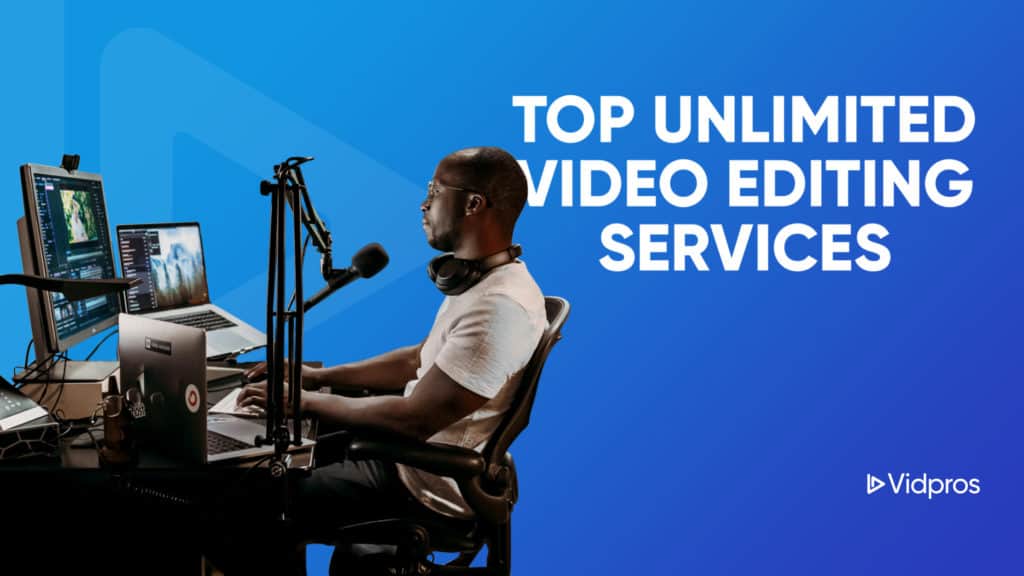
 Alt text: “Laptop screen shows a step-by-step product tutorial with captions while an editor timeline indicates professional editing.”
Why Tutorial Videos Accelerate and Improve Learning

Most customers prefer to watch a quick demonstration instead of reading several paragraphs of instructions. Video pairs narration with visual cues, so each step is easier to copy. A clear cursor movement, a highlighted field, or a short screen recording reduces guesswork and speeds up the path to success.
Two qualities make tutorial videos especially effective for learning:
- Visual storytelling
Showing real actions in the correct order gives the viewer a mental model of the task. Instead of imagining an abstract description, they see a real workflow. Visuals also help people who are learning in their second language or who struggle with long blocks of text. - Cognitive load management
Short chapters, on-screen labels, and captions keep attention on the next step rather than on remembering the last one. When a lesson is structured step by step, learners can pause, rewind, and practice at a comfortable pace.
Practical Wins of Video Tutorials across Onboarding, Support, and Retention

Thoughtful tutorials do more than educate. They improve business outcomes across the customer journey.
- Faster onboarding
New users move from sign-up to first value with fewer handoffs. A short welcome playlist that covers account setup, common tasks, and a first success milestone cuts time to value. - Lower support volume
When help center articles include a matching video, customers solve frequent issues on their own. Clear video answers reduce back-and-forth messages and improve satisfaction with self-service. - Higher feature adoption
Feature spotlights and product walk-throughs encourage discovery. A one-minute micro-lesson can showcase a capability many users skip past in text-only release notes. - Consistent training for teams and partners
Sales reps, customer success teams, and channel partners all benefit from the same concise training videos. Everyone learns the same process, which leads to consistent outcomes. - Evergreen documentation
Well-edited tutorials become a library that scales with your product. Update a chapter or two when the interface changes and the rest of the series remains useful.
Why a Fractional Partner Makes Production Easier
Recording a quick walkthrough is simple. Editing dozens of walkthroughs into a polished library takes time and focus. Vidpros offers fractional video editing, which gives you a dedicated editor with a clear daily capacity rather than a vague unlimited promise. Editors support only four clients, and that model gives you about two hours of focused editing time each weekday.
Here is how that helps your team publish more often without sacrificing quality:
- Speed that suits real release cycles
Most standard videos submitted by the end of a US business day come back with edits overnight and are generally ready within one to two business days, so teams can keep momentum during launches and campaigns. - Stable collaboration and brand consistency
You work with the same editor, which means style, pacing, and graphics stay consistent across your library. Vidpros uses Frame.io for video proofing so comments, versions, and approvals stay in one place for faster reviews. - All-in-one features that reduce friction
Stock footage and music come standard. Simple thumbnails, AI-generated captions, and three months of storage are included on subscription plans, which help teams publish without extra add-ons. - Tools that match pro workflows
Editors work in Adobe Premiere Pro and After Effects, so you can share project files or assets with confidence. - Pricing that reflects output
If you need steady capacity for tutorials, the Part-Time plan is one thousand dollars per month for two hours per workday with a dedicated editor. If you are building a full training library, the Full Time plan provides eight hours per day.
For agencies, Vidpros also supports white-label editing so you can deliver tutorials to clients under your own brand.
A Repeatable Framework for Engaging Educational Videos

Use this framework to plan and produce tutorials that people actually finish. It fits neatly with a fractional editing workflow.
- Start with the job to be done
Define the single outcome the viewer will achieve by the end of the video. Keep it narrow. One job equals one video. - Outline the shortest path
List the exact steps. Remove anything nice to know but not required. Plan visuals for each step, such as a cursor highlight, a zoom, or an over-the-shoulder shot. - Write a simple script
Use plain language. Speak to one person. Replace jargon with everyday words. Keep sentences short. Read the script aloud and trim any phrase that slows you down. - Record clean source material
Capture your screen at a high resolution. Use a quality microphone in a quiet room. Record b-roll for intros, outros, and chapter transitions. Save a separate audio track if possible. - Edit for clarity and pace
Cut silence and filler words. Add lower thirds that restate each step in a few words. Use captions for accessibility. Include zooms and callouts only when they add meaning. Share the draft in Frame.io for time-stamped comments so your editor can act on precise feedback. - Add visual structure
Open with the problem and outcome. Use chapter cards for multi-step processes. End with a short recap and one action the viewer should take next. - Package with metadata
Give the video a clear title that includes the task and the product. Write a short description with timestamps. Add tags that match how customers search your help center.
Production Checklist for Teams
- One outcome per video
- Steps validated by support and product
- Forty-five to ninety seconds for micro-lessons, two to five minutes for deeper tasks
- Script written for voice-first delivery
- Branded intro and outro applied
- Captions and transcript exported for accessibility and search
- Thumbnail with a simple promise and a readable verb
- Help center article updated with the matching embed
How to Distribute Your Product and Measure
Publishing on one channel is not enough. Place videos where customers already look for answers.
- Help center
Embed the video at the top of relevant articles and include timestamps that match the headings. - Product
Add a small help icon that opens the exact chapter needed for the current screen. Users get help in the moment, not after a search. - Onboarding flows and email
Link the welcome playlist in the first messages a new user receives. Keep subject lines focused on the outcome, such as Create your first report in three minutes. - Social channels
Post micro lessons that solve common problems. For the best user experience, link to the full tutorial or help article for further learning.
Track completion rate, average watch time, click through to the next step, and support tickets per topic. Use those signals to re-film confusing steps or split long lessons into shorter parts.
Ready to Build Your Tutorial and Customer Training Library
If you want an editing partner that understands training content around education and instructional videos and delivers quickly, book a call or get started with Vidpros. You will get clean, on brand tutorial videos that help customers learn and help your team scale content production. Get started with Vidpros’ offer!