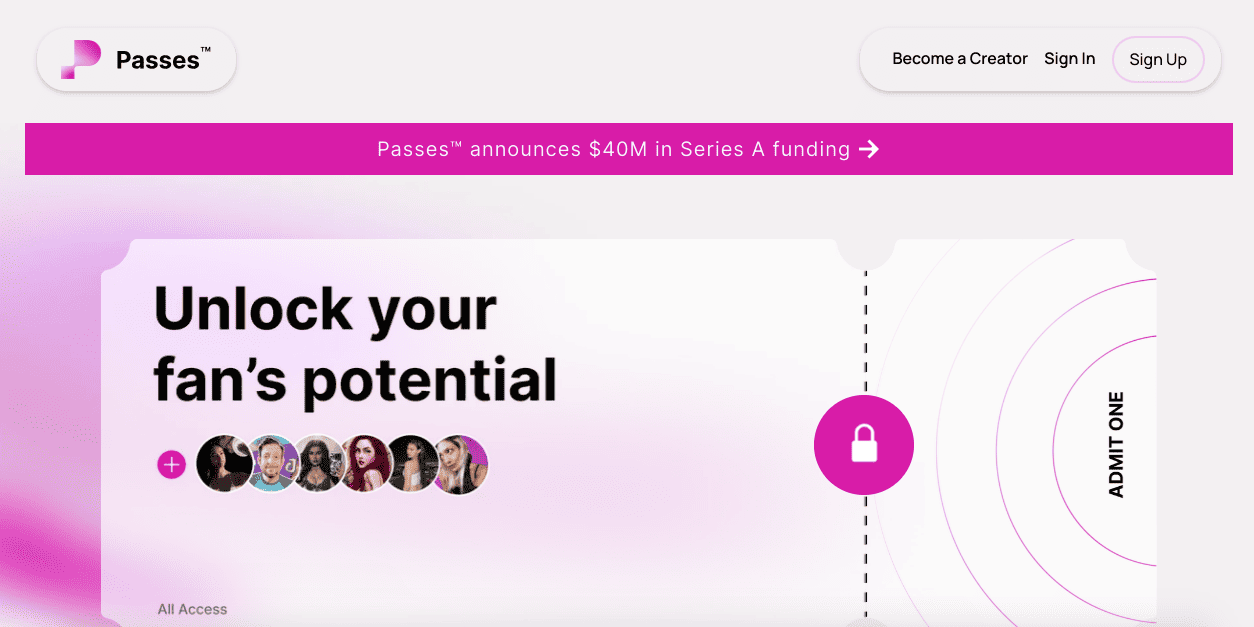
What is Passes.com?
Passes is a creator commerce platform built around direct fan access. Meaning, it’s a mix of exclusive content, subscriptions, paid messaging, live experiences, and a shop layer (merch and products) for all your followers.
Basically, it’s a place where a content creator can use digital tools to grow their brand and engage the people that follows it. Doing so on one platform.
Here’s a snapshot of what passes.com is, to put it simply:
-
membership tiers (including lifetime memberships and limited editions)
-
direct messages, including paid DMs
-
scheduling and automation (including mass DMs)
-
analytics per post and per message
-
live streaming, including a pay-per-minute plan or a one-time fee option
-
1-on-1 calls (also free, one-time fee, or pay-per-minute)
-
“vault” content organization, including the smart vault feature
-
screenshot blocking technology (anti-screenshot technology)
-
merch creation and a shop layer
The lady behind all these helpful features is none other than Lucy Guo, who started and founded Passes as a way to help content creators monetize their brand using fan engagement and not rely heavily on deals and sponsorships from other brands.
Even though Passes was launched in 2022, Guo is not new to the tech world; in fact, she also founded data platform Scale AI Inc. in 2016.
Guo envisioned Passes as a medium built for creators who already have:
-
an audience that wants exclusive access (not just occasional posts)
-
fans who like conversation and direct message interaction
-
enough volume to make subscriptions, paid DMs, and premium experiences worth managing
Add to the many positive sides of Passes is its safe-for-work positioning. Even the “no nudity” boundary comes up as a real differentiator in creator feedback.
These are just the tip of the iceberg, and in the next section, we’ll dive deeper into the features that passes.com actually lets you do.
Features Deep Dive
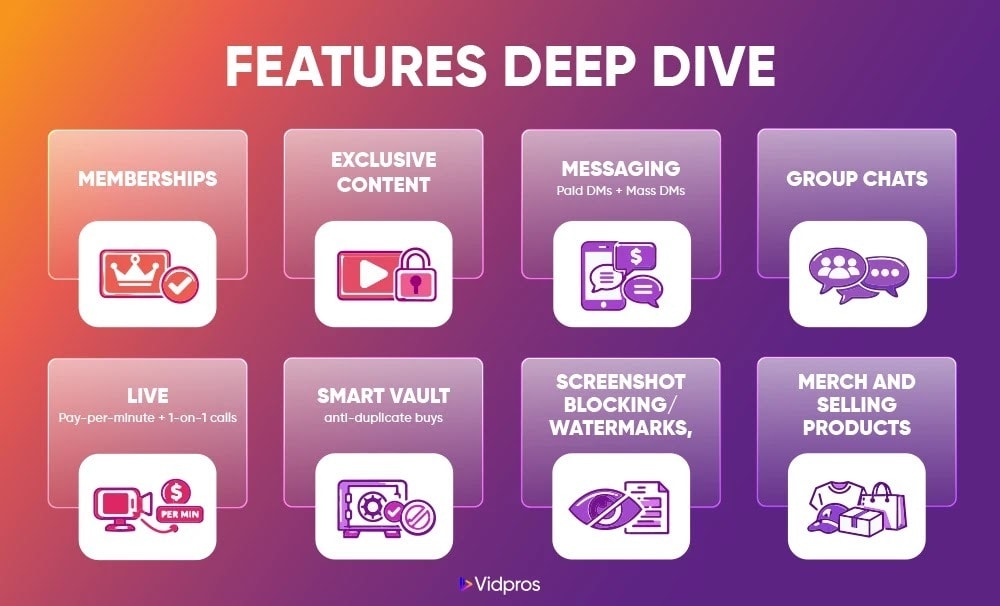
A passes.com review wouldn’t work without talking about the features that really matter. Even though feature lists are easy to skim and forget, it’s still worth mentioning.
And for this one, I’m going to explain Passes the way you’ll feel it as a content creator.
Subscriptions and memberships
Passes supports membership tiers and a bunch of pricing “mechanics” that are meant to help conversion:
-
membership tiers
-
trials and promo codes
-
limited edition memberships
-
lifetime memberships
My take: This is a great feature to have if you like running offers.
If you’re allergic to pricing experiments and just want “one tier, one price,” you can do that too. You’ll just ignore half the toolkit.
Exclusive content
Passes lets you post:
-
videos (Passes says up to 10GB)
-
photos
-
audio
-
PDFs
It doesn’t just sound great; it also matters more practically since a lot of creators are quietly monetizing “boring but valuable” files:
-
workout plans (PDF)
-
templates (PDF)
-
behind-the-scenes audio drops
-
long-form videos that don’t belong on TikTok
Messaging
Messaging is a core Passes feature, not a bonus.
Passes openly promote:
-
paid DMs
-
group chats
-
variables in DMs (custom fields for unique DMs)
-
sequence automation (drip DMs based on actions)
-
a scheduler that can queue posts and mass DMs in advance
Personally, I think paid messaging is either a goldmine or a headache.
On one hand, It’s a goldmine if your followers already DM you and you’re constantly thinking, “I wish I could monetize this without living in my inbox.”
On the other hand, it’s a headache if your audience mostly wants content, not conversation, because some fans will read paid DMs as “paywalling basic access.”
If you’re going to use paid DMs, you might want to set expectations aggressively, or don’t use them at all. Who knows, maybe you’ll have a better solution.
Group chats
Group chats are a built-in feature, and this is one of the smartest ways to protect your time.
As all group chat features on other social media platforms, instead of replying 300 times, you can create a “fan community moment” once:
-
weekly Q&A
-
game-night chat
-
drops + reactions
-
behind-the-scenes discussion
It’s also a good compromise if you want direct messages monetization, but you don’t want your whole business to become one-on-one support.
Live streaming, pay-per-minute, and 1-on-1 calls
Passes support:
-
live streaming (free, pay-per-minute, or one time fee)
-
1-on-1 calls (free, one-time fee, or pay-per-minute)
This is a big difference from “classic membership platforms.”
It’s basically built for “premium experiences,” not just premium posts.
If you’ve ever thought, “I could charge for short calls or quick coaching,” The Passes creator platform is clearly trying to be one platform where that happens.
Smart Vault and the Auto-Blocking Vault
This is one of Passes’ most creator-business features.
Passes encourage:
-
Smart Vault: organize and repurpose content, and auto-block duplicate purchases
-
Auto-Blocking Vault: in individual and mass DMs, it blocks content from being sent or purchased twice
This one’s pretty cool, by the way, coming from someone who’s also a victim of duplicate purchases. I agree, preventing accidental double-buys is underrated.
It’s evident, especially on review sites. A surprising amount of “negative reviews” on creator platforms come from billing confusion, duplicate charges, or “I didn’t mean to buy that again.”
So even though this sounds nerdy, it’s actually reputation insurance.
Screenshot blocking technology
Passes also have screenshot blocking technology that aims to prevent screenshots and screen recordings.
Two real-world notes here:
-
No protection is perfect, because people can always use a second device.
-
Even imperfect protection helps, because it reduces casual leaking and deters reposting.
You’ll also see some fans complain about heavy watermarking on content. It’s really normal, though. That’s the tradeoff with security features.
Merch and selling products
Passes promotes “Create Your Merch,” plus a shop layer where creators can sell products.
My take: merch is usually phase two.
If you already have steady subscription money, merch can raise your revenue ceiling.
If you don’t, merch can become a time sink (fulfillment questions are sneaky).
Pricing Structure
Alright. Money section. Who doesn’t want to know Passes pricing? If I guess, someof you even came all the way here to see the passes pricing first.
As you know, fees stack up fast on any platform, so you want clarity here.
Creator fees (percentage)
On Passes’ own comparison page, it lists platform fees “as low as 10% + $0.30 a transaction.”
So if you’re asking “What % of earnings does the platform take?” that’s the cleanest public number Passes is putting out, which is reasonable, if you paid close attention to what the platform can really offer. More on the competitor side of things later.
Payment processing and payout fees
This is where creators sometimes get surprised. Now, you don’t have to.
Passes.com also documents Passes payout speed options with different fees:
-
Instant payout: +10% fee
-
1 business day: +6.5% fee
-
2–5 business days: 0% fee
So yes, you can get money fast, but faster options cost more.
Passes also notes a minimum payout threshold (at least $50) in its payout help documentation.
Subscriber pricing tiers
As mentioned earlier, Passes supports membership tiers, and creators set the pricing and what each tier includes.
That means there isn’t one universal “Passes pricing ladder.”
Your structure might look like:
-
Tier 1: low-cost supporter tier
-
Tier 2: main tier with the most exclusive content
-
Tier 3: VIP tier (group chats, priority messaging, monthly call slots)
It’s really up to you on this one.
Passes vs. Competitors
Here’s the side-by-side people actually want. Passes vs Patreon vs OnlyFans vs Kofi. Who would you much rather have? Where would you much rather be?
First off, just keep in mind that platforms change fees, and app store signups can add extra friction. So, this is the “typical public baseline.”
|
COMPARISON TABLE (Passes vs Patreon vs OnlyFans vs Ko-Fi) |
|||
|---|---|---|---|
|
Platform |
Fee % (platform) |
Content types |
Payout speed (typical) |
|
Passes |
As low as 10% + $0.30 per transaction |
Videos, photos, audio, PDFs, paid DMs, group chats, live streaming, 1-on-1 calls, merch |
Same-day bank or instant PayPal promoted, plus options with extra fees |
|
Patreon |
10% platform fee (standard for new creators), plus processing and other fees |
Membership posts, audio, images, native video/livestreaming, chats/DMs, digital products |
Once initiated, it typically takes 1–5 days to reach your account |
|
OnlyFans |
20% cut |
Subscriptions, tips, PPV content, messaging (adult-leaning ecosystem in practice) |
Commonly reported: earnings have a pending period, then withdrawal takes a few business days (varies by method) |
|
Ko-fi |
0% on tips, 5% on memberships/shop/commissions (Gold can reduce fees for a monthly cost) |
Tips, memberships, shop, commissions, supporter-only posts |
Instant to PayPal/Stripe (direct payments model) |
Pros and Cons
This is the section where you settle if Passes fits your personality.
Because that’s honestly what this is.
I’ll list some of my take on this passes.com review, and give you the things to consider before committing fully.
Pros
If you’re the kind of creator Passes is built for, these are noteworthy:
-
Numerous monetization lanes beyond subscriptions: paid DMs, group chats, live streaming, and 1-on-1 calls
-
Smart Vault feature that helps arrange content and reduce duplicate purchases
-
Automation tools like a scheduler, sequence automation, and mass DMs for scaled fan relationships
-
Analytics per post and per message, which is rare on “basic” membership tools
-
Security positioning, including screenshot blocking technology (and fans mention appreciating security features)
-
Fast payout options, including instant payout pathways (with fees)
-
SFW boundary is an honest selling point for some creators, especially brand-wise and culturally
Cons
These aren’t “run away” cons. More like “be intentional.”
-
Messaging monetization can backfire if fans expect authentic replies and feel they’re getting automated responses. This shows up repeatedly in reviews.
-
Fee complexity can rise if you choose faster payouts (instant and 1-day come with extra fees).
-
Billing confusion risk is real on any subscription platform, and Passes gets hit with complaints around discounts, renewals, and value mismatch.
-
Global payment friction can happen (international card failures show up in recent reviews).
Who Should Use Passes?
Now let’s be specific. This is the part where, well, you can say it’s a “fit check.”
Best for
Passes.com is best for creators who sell access and experiences, like, but not limited to:
-
streamers who want paid DMs, group chats, and pay-per-minute lives
-
influencers with high-intent fans who already DM them
-
creators who can consistently drop premium content and run offers
-
creators with a shop angle who want one platform that connects content and commerce
If you already make money from closeness and fan relationships, Passes fits.
Not ideal for
Passes may not be your favorite if you’re:
-
a small creator just testing monetization for the first time
-
selling mostly one-off digital downloads with no community angle
-
trying to avoid paid messaging dynamics entirely
-
Looking for the simplest setup possible
Ko-fi and Patreon are usually calmer starting points for that style.
How to Get Started on Passes (Step-by-Step)
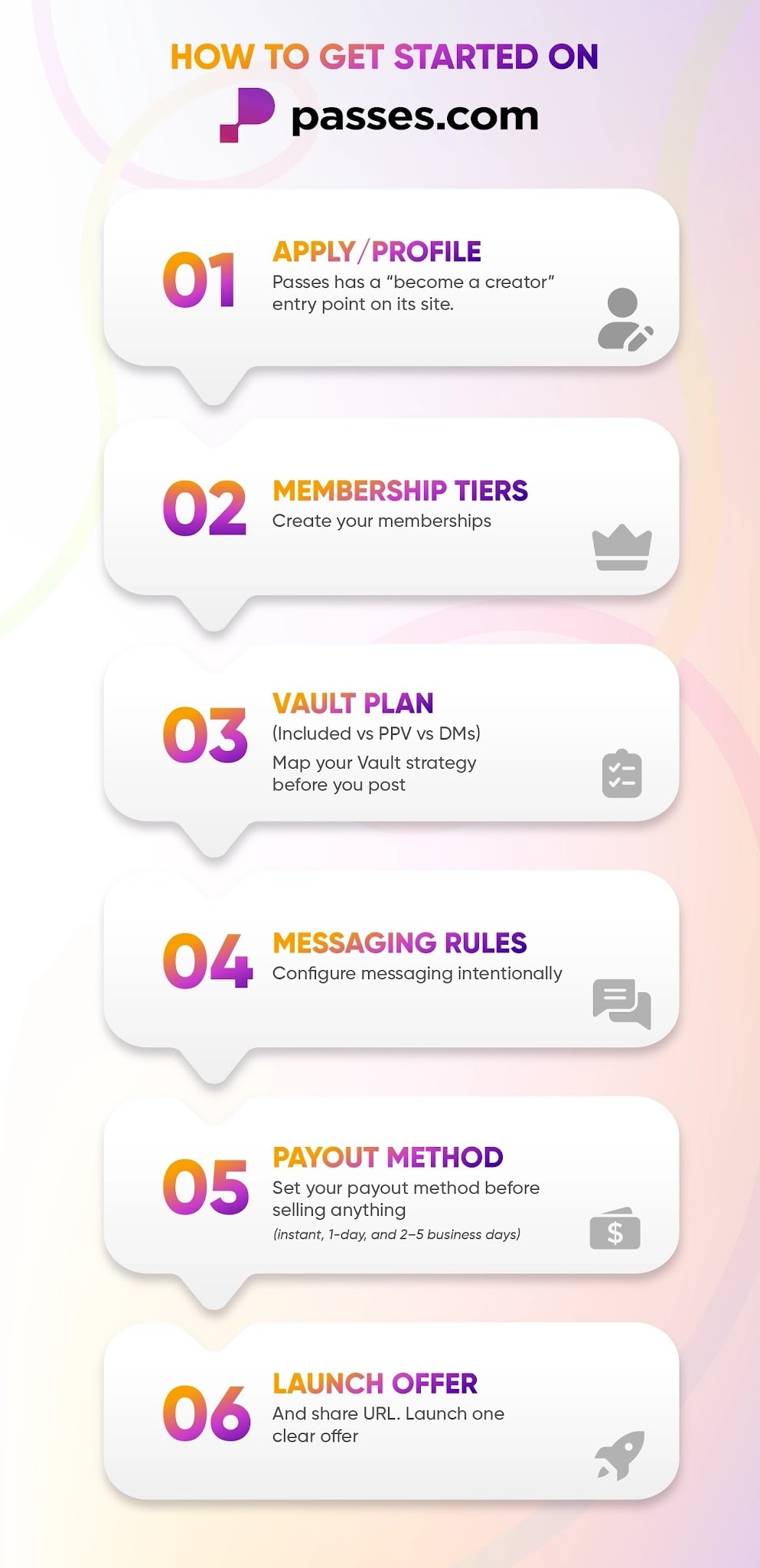
If you decide to try it, here’s a setup flow that won’t overwhelm you.
Step 1: Apply and set up your creator profile
Passes has a “Become a Creator” entry point on its site. And the process starts with this.
Start simple:
-
a clear profile photo and banner
-
One sentence that explains the promise
-
What do fans get inside your membership
Step 2: Create your memberships
Don’t overbuild on day one.
A simple structure that tends to convert:
-
Tier 1: Supporter (low commitment)
-
Tier 2: Insider (your main value tier)
-
Tier 3: VIP (perks like priority messaging or a monthly group chat)
Step 3: Map your Vault strategy before you post
Before you upload anything, decide:
-
What’s included in the subscription
-
What’s pay-per-view
-
What gets sold through DMs
Step 4: Configure messaging intentionally
This is where creators accidentally create chaos.
Decide your rule:
-
Are DMs paid or included?
-
Do members get a monthly message allotment?
-
Do you push community into group chats to protect your time?
Step 5: Set your payout method before you sell anything
Do this early so you’re not scrambling after your first sales.
Passes payout options include instant, 1-day, and 2–5 business days, with different fees depending on speed.
Step 6: Launch one clean offer
Don’t launch with ten ideas.
Launch one:
-
“Founding member pricing”
-
“First 100 members get X.”
-
“Weekly drop + monthly live hang”
Then watch what people actually buy, and adjust.
Quick tip: You can then find fans or people by posting your Passes URL on your other social media sites.
Real Creator Experiences
This part matters because feature pages are always optimistic.
Review sites tend to collect people at emotional extremes:
-
Angry fans dealing with billing or refund issues
-
creators having payout or support problems
-
people who had mismatched expectations
These are just some of the reasons why some might get a bad rap online.
That’s not amazing, in any shape or form.
But low ratings are also not rare in creator platforms, because unhappy fans are louder than satisfied fans.
Negative Feedbacks
On Trustpilot, a few patterns show up over and over.
-
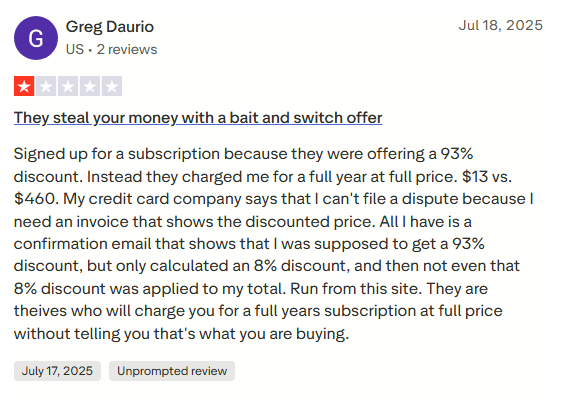
Billing confusion and discount problems
Some reviewers describe situations like:
-
discounts not applying properly
-
renewals that felt unclear (monthly vs annual)
-
“I thought I was paying X, but got charged Y”
Example: one reviewer said they expected a steep discount, but felt charged full price for a year.
My take: subscription platforms live and die on clarity.
If you’re a creator, you can’t control every payment edge case.
But you can control how clear your offer copy is.
-
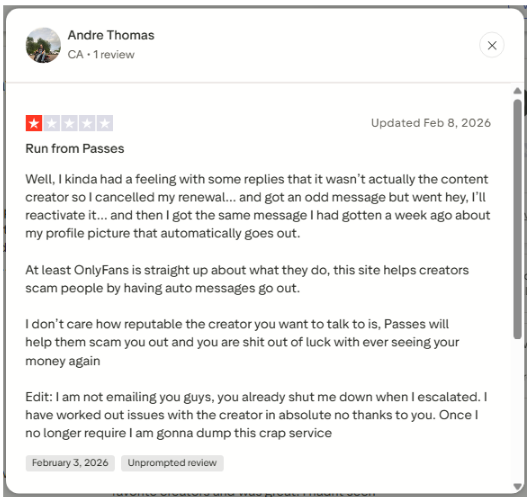
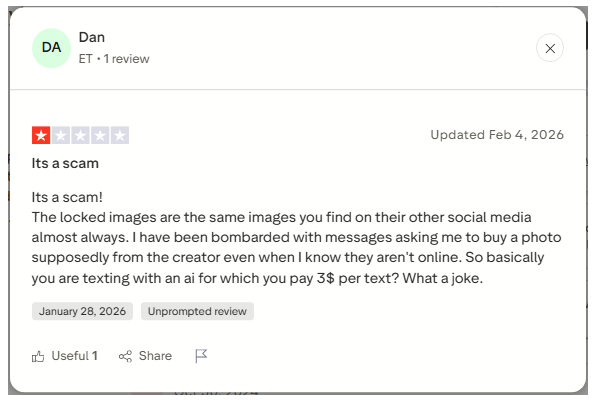
“Am I actually talking to the creator?” skepticism
This is the loudest complaint category.
-
Andre Thomas basically said automated messages made it feel like they weren’t talking to the creator.
-
Dan complained about being bombarded with paid prompts and implied the interaction felt automated.
-
Others describe the vibe as agency-run, not creator-run.
-
Payment method issues
Andreas Zehnder (Switzerland) described card errors, then attempted debits, and the bank blocked the card.
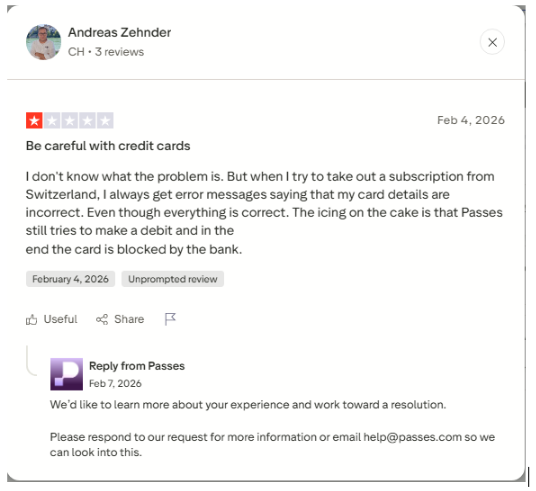
I can’t diagnose why that’s happening. But if your audience is international, you should care about this.
At a minimum, keep an eye on where your fans are coming from and whether they’re reporting checkout issues.
-
Value mismatch
Some people complain that locked content looks similar to what’s already on social media.
Again, I can’t verify the specific claims. But the takeaway for creators is obvious:
If your “exclusive content” is basically reposts, you’re going to get hammered.
Positive Themes
There are also strong positives. They just get drowned out by the rage-posting.
Here are a few that stood out.
“Support used to be messy, but it got better.”
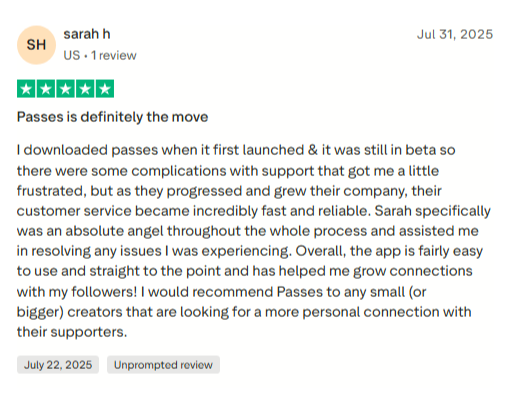
Sarah h said she joined when Passes was still in beta, had frustrations, then saw customer service become “fast and reliable,” and praised a support rep named Sarah who helped resolve issues.
“They fixed a dispute.”
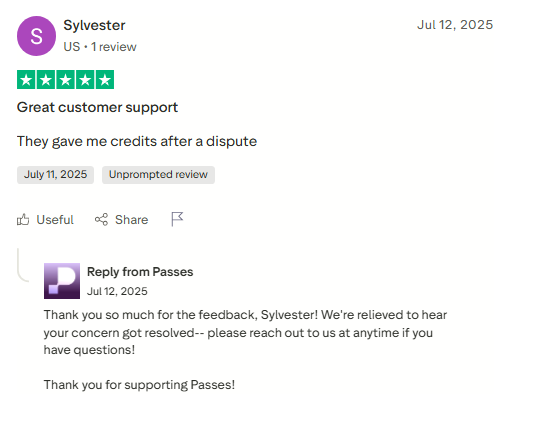
Sylvester’s review is short, but clear: they said Passes gave them credits after a dispute.
“No nudity is a feature, not a limitation.”
Sammy Dhun (Verified) said the no-nudity boundary mattered culturally, and helped them earn while staying aligned with their values.
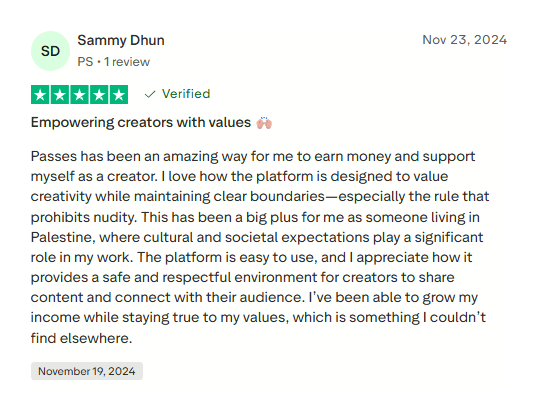
That’s a real differentiator. Not everyone wants to build in the shadow of adult platforms.
“Creators like the UX and protection features”
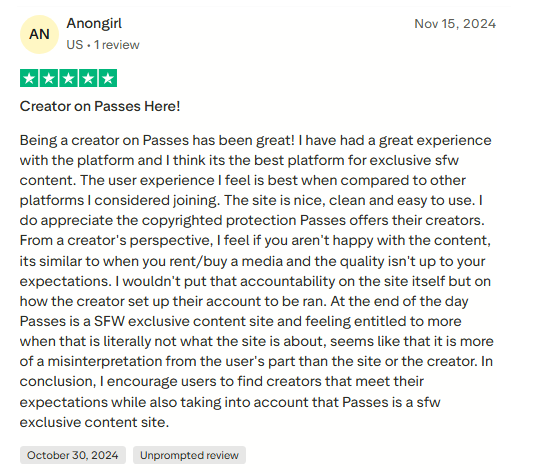
A creator reviewer (Anongirl) said they had a great experience, liked the clean UI, and appreciated the platform’s creator-side protection angle.
“Fans liked livestream interaction and behind-the-scenes.”
-
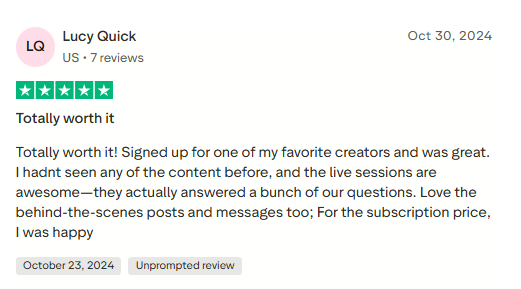
Lucy Quick said the live sessions were awesome, and they liked behind-the-scenes posts and messages.
-
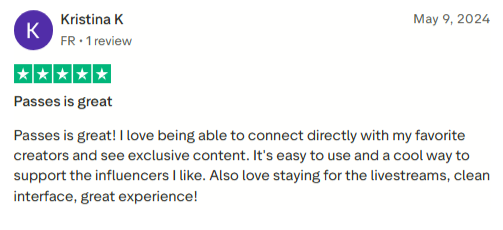
Kristina K said it was easy to use, liked exclusive content, and stuck around for livestreams.
So yes, there are real users having a genuinely good experience here.
One more angle that’s worth adding: Passes publishes creator spotlights on LinkedIn.
These are curated and promotional, obviously. But they still show how Passes wants creators to use the platform.
You can check real stories from Gabby Murray (Natics Skincare) and Kayce Smith (Barstool Sports host) in the LinkedIn article.
Want Passes to Actually Work? Ship Better Video Consistently.
Passes work best when you provide them with new, high-quality video. Behind-the-scenes videos, weekly drops, short updates for your fan base, and even one polished long-form piece that ties everything together for the month.
The problem is that you still have to send it.
Editing doesn’t have to be the thing that slows you down. We can take care of it at Vidpros. You can use our $100 trial for one week of expert editing on either 10 shorts or 1 lengthy video. You can focus on the fun parts (creating and engaging) while your content keeps showing up on Passes.
Frequently Asked Questions
What percentage does Passes take?
Passes lists platform fees “as low as 10% + $0.30 a transaction.”
How fast does Passes pay creators?
Passes promotes same-day bank or instant PayPal, and its payout help docs list instant, 1-day, and 2–5 business day options (with different fees).
Does Passes support direct messages and paid DMs?
Yes. Paid DMs, group chats, and DM automation features (variables, sequences, mass DMs) are part of Passes’ published feature set.
Does Passes.com allow nudity?
Passes positions itself as safe-for-work, and the no-nudity boundary comes up directly in user reviews as a positive.
Is Passes better than Patreon?
If your business is mostly membership posts and community, Patreon is simpler and extremely established. Patreon’s standard platform fee for new creators is 10% (plus processing and related fees).
If your business is access plus premium experiences (paid DMs, 1-on-1 calls, pay-per-minute lives), Passes may fit better.
Is Passes better than Ko-fi?
Ko-fi is hard to beat for simplicity. Ko-fi shows 0% service fee on tips, and 5% on memberships/shop/commissions (with options like Gold to reduce fees for a monthly cost).
Passes.com is better if you want the “premium access business” toolkit: vault mechanics, messaging automation, experiences, and deeper platform features.