Have you ever seen a YouTube video thumbnail and said, “That looks good. I want something like that for our next video.”?
Then you try to find it and realize you have no idea where it is.
If you’re looking for a way to save YouTube thumbnails, you’re likely doing something more useful, like building a swipe file for your next design or capturing competing examples for a teardown deck.
At Vidpros, we help teams maintain a consistent look across their YouTube channels, and we do this “little annoying task” pretty often. The good news is you don’t have to download a YouTube thumbnail downloader or use a fake, sketchy browser extension.
You just need the video ID and a specific link.
The Fastest Way to Save YouTube Thumbnails
The copy/paste URL method.
This is the easiest method because it is the same process every time. You will generate a YouTube thumbnail URL, navigate to it, and save it like an image.
Just a quick note before we get to the good stuff, that some videos may not have the highest resolution thumbnail available, and that’s perfectly fine. You can use one of the fallback links instead.
Step 1: Grab the video ID
This is the only part that feels “technical,” but it’s basically just copying a short chunk of the YouTube video URL.
Your video ID is the letters and numbers here:
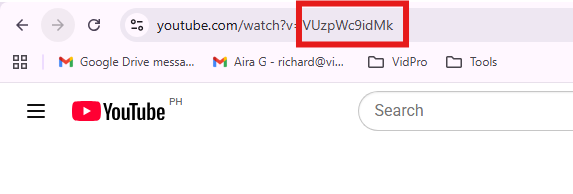
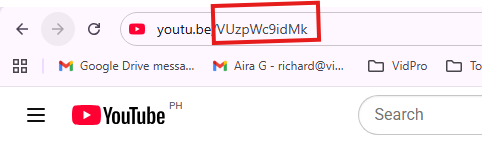
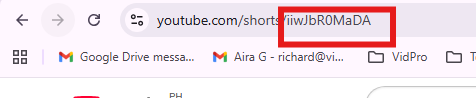
Here are the common formats:
-
Standard link: youtube.com/watch?v=VIDEO_ID
-
Short link: youtu.be/VIDEO_ID
-
Shorts link: youtube.com/shorts/VIDEO_ID
A quick tip: if your URL has extra parts like &t=120 or &list=…, ignore those. Copy only the ID.
If I’m doing this for multiple videos, I’ll paste all the IDs into a Google Sheet first. It saves a surprising amount of time.
Step 2: Paste the HD thumbnail link first
Now you’ll build the first YouTube thumbnail URL.
Take your ID and paste it into this exact link:
https://i.ytimg.com/vi/VIDEO_ID/maxresdefault.jpg
Example:
The YouTube link is: https://www.youtube.com/watch?v=VUzpWc9idMk
The Video ID is: VUzpWc9idMk
So, you’ll do this:
https://i.ytimg.com/vi/VUzpWc9idMk/maxresdefault.jpg
That’s the one people usually mean when they say YouTube thumbnail HD.
After you paste this “https://i.ytimg.com/vi/VUzpWc9idMk/maxresdefault.jpg”, click enter and wait for the image to load.
You’ll then see this, for example:
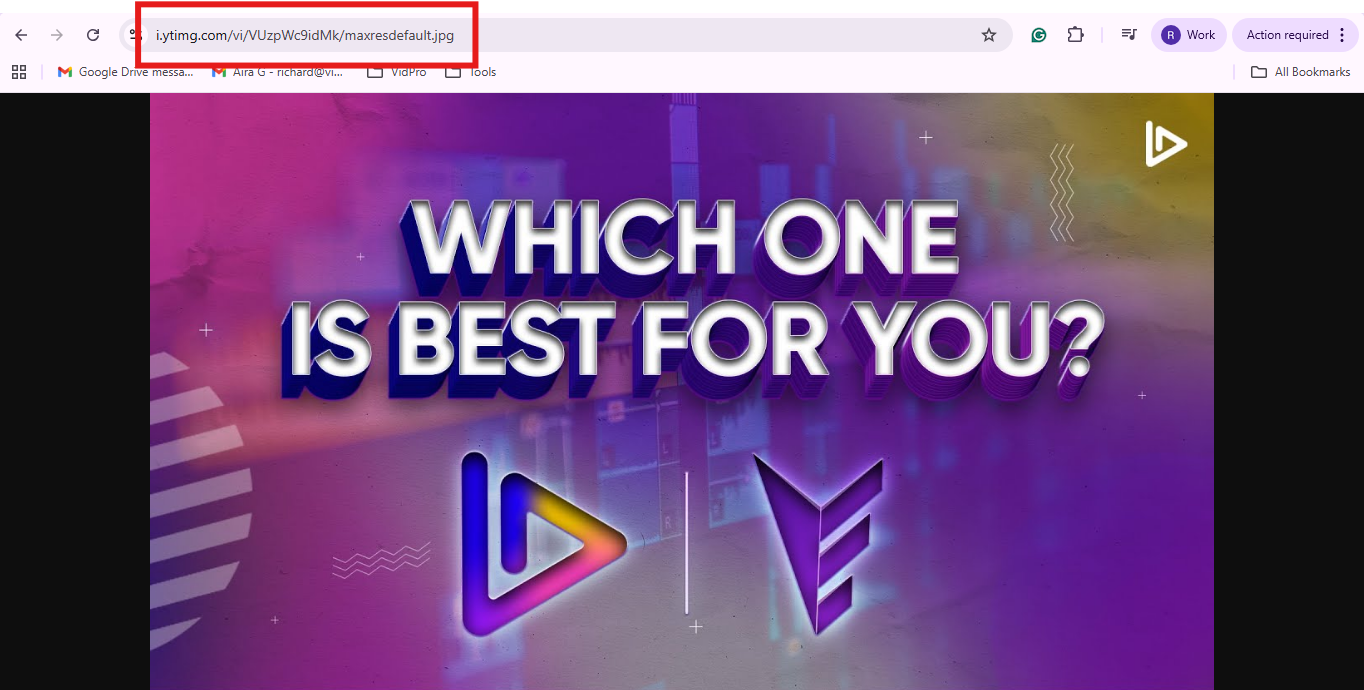
If it loads, you’re basically done. Now you can download YouTube thumbnail files like you would any other image.
Here’s how it looks, and I know you’re most likely familiar with the process:
-
Desktop: right-click the image, then choose “Save image as”
-
Mobile: long-press the image, then tap save or share (it depends on your browser)
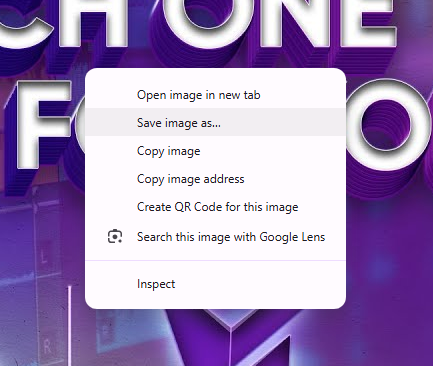
You can also click the image first so it opens by itself, then save it from there. Sometimes that’s smoother on mobile.
Step 3: If the HD version doesn’t load, try the fallback list
If the HD link shows a blank page or a 404, don’t worry. It usually just means the max-size file doesn’t exist for that upload.
This is where the fallback list saves the day. There are other links you can try that still give you chances to save YouTube thumbnails, and it still follows the same process.
Try these in order, from higher quality to lower:
Start with these fallback links:
-
https://i.ytimg.com/vi/VIDEO_ID/sddefault.jpg
-
https://i.ytimg.com/vi/VIDEO_ID/hqdefault.jpg
-
https://i.ytimg.com/vi/VIDEO_ID/mqdefault.jpg
-
https://i.ytimg.com/vi/VIDEO_ID/default.jpg
A quick translation of what those mean:
-
sddefault is the SD option
-
hqdefault is often a strong middle ground
-
default is the smallest one
If I’m collecting references for design, hqdefault.jpg is usually enough to study layout, text size, colors, and framing. If you’re trying to grab crisp details, keep stepping up until you land on the YouTube thumbnail HD version.
Step 4: Save it in a way you’ll actually reuse later
This step sounds boring, but it makes your future self happy.
Once you download YouTube thumbnail images, name them as you plan to find them again. Don’t just go saving everything right away, as you’ll waste time. You won’t know if you need it again in the future.
Here are a few naming patterns that work well:
Use a naming system like:
-
channelname_videoID_maxresdefault.jpg
-
competitor_topic_hook_hqdefault.jpg
-
client_seriesname_ep12_sddefault.jpg
If you’re an agency, add the client name. If you’re a team, add the campaign name. It keeps your thumbnail images from turning into a mystery pile.
Why the Maxresdefault Thumbnail Sometimes Doesn’t Work
Expectedly, you won’t be able to find the thumbnail in the best resolution. That’s the norm. But why did that HD one fail?
Well, the maxresdefault thumbnail is the highest quality thumbnail possible. In order for a thumbnail to have a maxresdefault option, YouTube must have received a thumbnail image in the highest resolution. If YouTube doesn’t have that, the highest resolution thumbnail will not be available.
Here are some common possible answers:
-
The creator did not upload a high-res thumbnail
-
YouTube did not create a max-size image for that video
-
. The video is an older upload, and only standard sizes are available
-
Different services and platforms can show thumbnail images differently depending on where you are watching them.
None of this means you have a bum link. You have to use the fallback list and continue on.
Now that you’ve got the file saved, let’s make this useful beyond “cool, I downloaded an image.”
When it Actually Makes Sense to Save YouTube Thumbnails
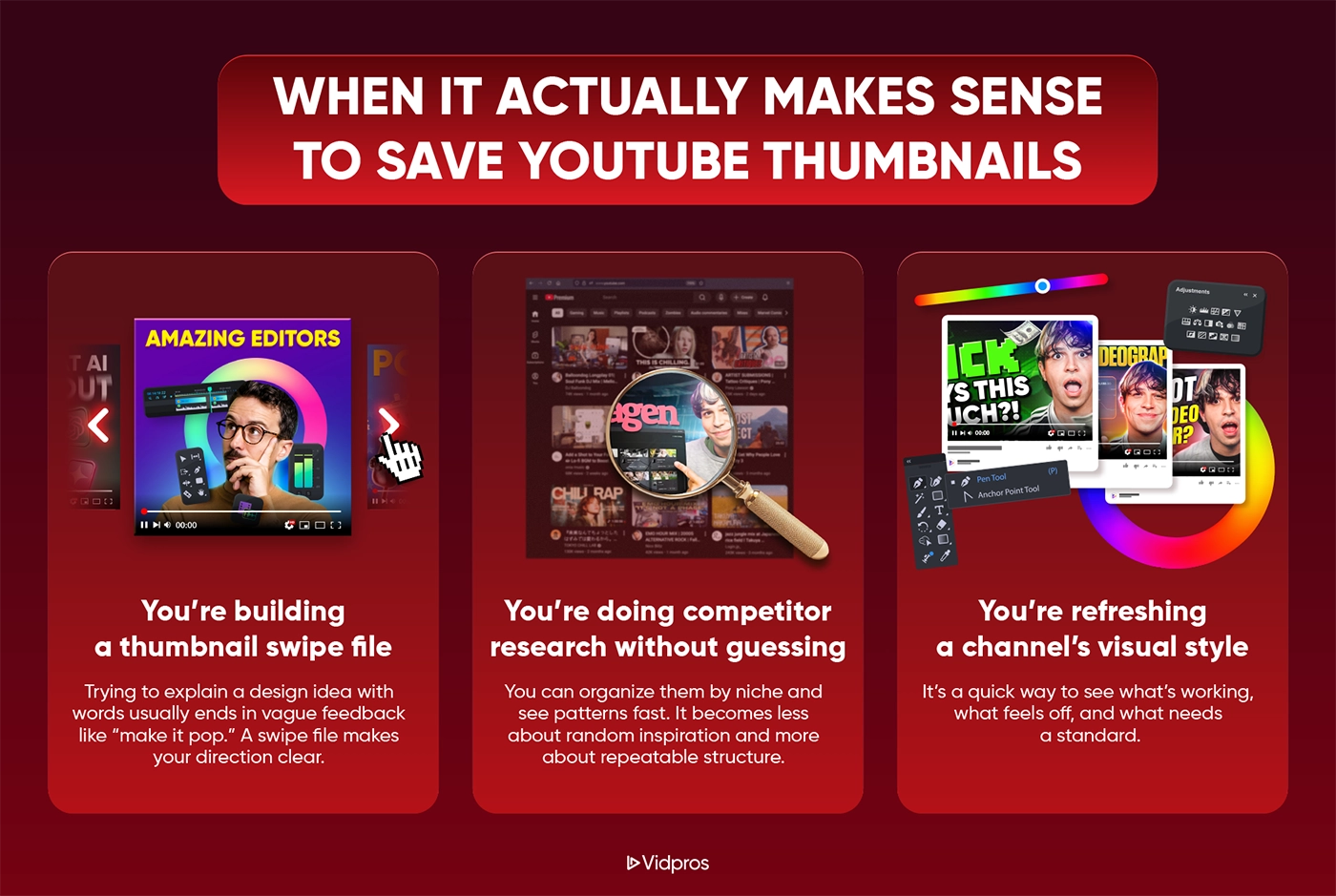
Saving video thumbnails is one of those simple habits that pays off quickly, especially if you publish consistently or manage multiple channels.
Here are the most common situations where people save YouTube thumbnails and actually benefit from them.
You’re building a thumbnail swipe file
This is the biggest one.
Trying to explain a design idea with words usually ends in vague feedback like “make it pop.” A swipe file makes your direction clear.
A good swipe file helps you say:
-
“Use this framing and crop style.”
-
“Keep text to 2–4 words like this.”
-
“This color contrast reads well on mobile.”
-
“This logo placement is consistent but not loud.”
You’re doing competitor research without guessing
If you’ve ever opened 20 tabs and taken screenshots, you’re not alone.
When you download thumbnails instead, you can organize them by niche and see patterns fast. It becomes less about random inspiration and more about repeatable structure.
You’re refreshing a channel’s visual style
A lot of channels look inconsistent because each upload uses a different layout, font, or color system.
When you save your own YouTube thumbnails and line them up, you can spot the gaps in under a minute. It’s a quick way to see what’s working, what feels off, and what needs a standard.
Next up, let’s make sure your saved images don’t disappear into your Downloads folder forever.
What to Do After You Download the Thumbnail
If you need only one thumbnail, any place to save it will work.
If you’re saving more than just a couple of examples, a simple system keeps it from becoming ‘another project’ you just constantly add to.
Create one folder per channel or project
Here’s a folder structure that stays clean even as it grows:
Use a folder setup like:
-
YouTube Thumbnails
-
Competitors
-
Inspiration
-
Our Channel
-
Client Name
-
This keeps thumbnails, video thumbnails, and reference images from becoming cluttered.
Add a one-line note (optional, but it helps)
This is a habit that can save a lot of time down the line.
If I save a thumbnail because it made me click, I’ll write one sentence about why.
Like examples:
-
“Big face, strong emotion, 3-word promise.”
-
“Dark background, bright text, one object.”
-
“Before/after split with clean borders and high contrast.”
An image folder becomes a folder of ideas.
Use inspiration wisely
If it’s not your thumbnail, using it as a reference is great. Posting it as your own is where things get messy.
If you are planning to reuse thumbnail images for your own use, it is a good idea to obtain permission first. It keeps relationships clean and avoids issues later.
What works well is copying the pattern, not the exact design:
-
structure of the layout
-
use of contrast and color
-
word count
-
framing
Okay, let’s respond to the common queries that arise immediately after someone does this once.
Get Consistent Thumbnail Style Every Upload
If you’re saving thumbnails because your channel visuals feel inconsistent, you’re already doing the right thing. You’re collecting patterns you can actually repeat.
And if you don’t want to spend your week editing, exporting, and adjusting details, Vidpros will take the production work, so you can focus on filming and publishing.
To test out the workflow for a week, we have a trial for $100. This can be allocated to 10 short-form videos or 1 long-form video, which will be edited professionally.
Frequently Asked Questions
How do I get an HD YouTube thumbnail?
Try this YouTube thumbnail URL pattern:
https://i.ytimg.com/vi/VIDEO_ID/maxresdefault.jpg
If you see the image load, then you successfully found the YouTube thumbnail HD version. From there, you can save the YouTube thumbnail the normal way.
Why does maxresdefault return an error or a blank page?
Usually, because that max-size image doesn’t exist for that video.
Use the fallback list. In many cases, hqdefault.jpg is still high quality and totally usable.
Can I download YouTube thumbnails on my phone?
Yes.
Use the same YouTube thumbnail URL method, open the link in your browser, then long-press the image to save it to your device.
If your phone opens a preview that won’t save, try “Open image in new tab” first.
Is it okay to use someone else’s thumbnail?
It’s commonplace for many to take this approach for internal research, reference decks, or educational teardown notes. It’s usually what people are doing.
Designing your own assets to build a different concept is a good way to avoid cross-branding and messy emails in the future.