Instagram Reels reward fast hooks, clean visuals, and tight pacing. The right editing choices turn everyday clips into content that feels polished and on-brand. Use these top editing features for Instagram Reels in your app with the intention of earning attention, sparking comments, and driving the next tap. When you want a reliable partner to handle the heavy lifting, Vidpros provides professional Instagram editing that turns raw footage into Reels, Stories, and posts on social media apps that are sized correctly and ready to publish fast.
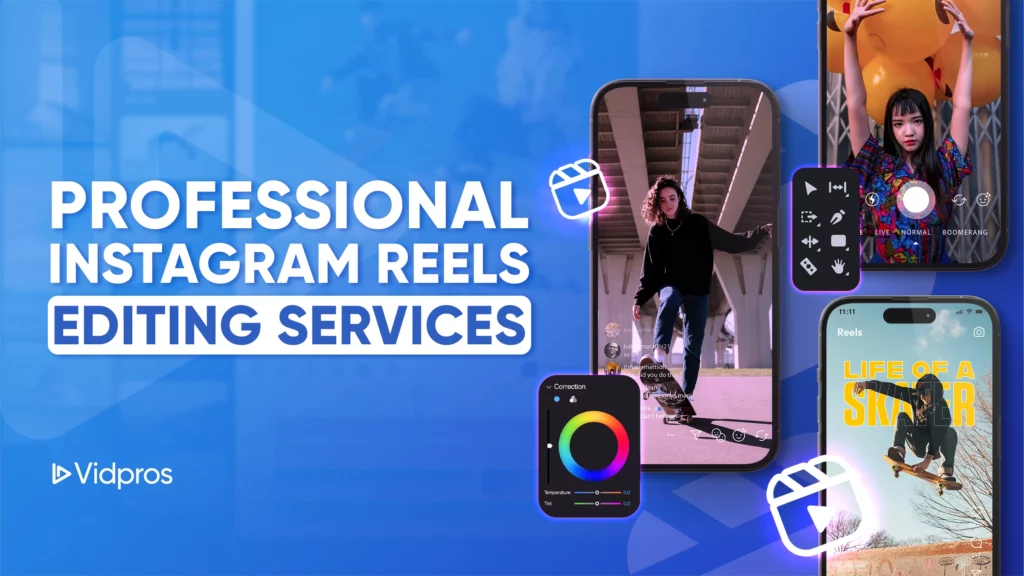
 Alt text: “Phone showing an Instagram Reel timeline with captions, cut markers, color tools, and an audio waveform, styled to match Vidpros.”
Start Your Instagram Reels Strong in the First Two Seconds
Great Reels open on action. Begin your Reel editing right at the moment of interest with a tight trim. Add a small punch to create motion. Use a bold visual or a simple promise as on-screen text. Your opening line can also pull duty as the thumbnail text, which helps with taps from the feed and your profile grid.
Checklist:
-
- Frame one shows movement or a finished after state
-
- Quick punch-in or speed ramp to create momentum
-
- Clear, benefit-led text in plain language
Choose Audio That Serves the Story
Sound shapes mood and rhythm. Sync cuts to downbeats to add flow. Keep narration clear with light noise reduction and consistent volume. If you use trending audio, trim it so the strongest phrase hits early. For voiceover, write to the beat so lines land with the music.
Checklist:
-
- Beat-synced cuts for rhythm
-
- Volume leveling for consistent loudness
-
- Precise audio trims so the hook lands early
-
- Subtle sound effects for taps, swipes, or reveals
Use Transitions That Move the Instagram Story Forward
Transitions should guide attention, not distract. Pick a style that fits your message and repeat it so the Reel feels cohesive.
Wondering how to do it? Go to options:
-
- Match cut
-
- Whip pan with natural motion blur
-
- Snap cut on a beat
-
- Mask reveal with an object pass
-
- Hard cut with a quick zoom for energy
Keep every move purposeful. If a transition does not help the message, cut it. For inspiration on short-form transitions that viewers love, see Vidpros training content on popular options for TikTok, Reels, and Shorts.
Apply Color and Style for Brand Consistency
Consistent color helps people recognize you in a busy feed. Light grading adds warmth, balances contrast, and keeps skin tones natural. Save a brand look so every post carries the same feel. If you feature products, consider a gentle vignette or a soft sharpen only when it improves clarity.
Checklist:
-
- Reusable color preset that matches brand visuals
-
- Skin tone protection where needed
-
- Noise reduction for low-light shots
-
- Stabilization used sparingly to avoid warping
Guide with Text, Captions, and Simple Graphics
Many viewers watch with the sound off at least part of the time. On-screen text and captions keep your story readable. Use large, high-contrast type and limit to a few words per screen. Add lower thirds for names, steps, or specs. Animate text with simple moves like fade, slide, or scale so reading speed stays comfortable.
Checklist:
-
- Clean captions in your brand font or a close alternative
-
- Bold headline near the top third
-
- Lower thirds for names, prices, or features
-
- Motion that supports reading
Build Instagram Reels Templates to Scale Output
Templates save time and lift quality. Create layout options for different story types such as product demos, how-tos, or behind-the-scenes. Each template should include color, font, placement rules, and suggested timing for cuts. If you manage multiple brands, keep brand kits so editors can swap colors, logos, and end cards in seconds.
Checklist:
-
- Open and close cards with logo and handle
-
- Modular scenes that fit thirty, forty-five, and sixty-second stories
-
- Reusable motion blocks for text and stickers
-
- Safe zones that avoid crop from interface elements
Best Reel Editing: Pace Scenes for Retention

Fast does not always mean better. Give viewers enough time to process a visual, then move on. A practical rule when it comes to editing tools is to change something meaningful every two to four seconds. If a scene has lots of detail, add a quick push-in or overlay text to guide the eye. Trim silence and dead air. Keep total runtime focused on one outcome, such as a save, a comment, or a click to your bio.
Checklist:
-
- Scene changes every two to four seconds
-
- Lines recorded with natural cadence and minimal pauses
-
- Phone preview to confirm readability and rhythm
Editing Apps: Protect Quality with the Right Export Settings
Poor exports break a good edit. Use the native vertical format for your videos and keep files friendly to mobile.
Safe starting points for video editing:
-
- Aspect ratio 9:16 at 1080×1920
-
- Frame rate that matches your source, commonly twenty-four, thirty, or sixty frames per second
-
- High bitrate for clean gradients and motion
-
- AAC audio near 320 kilobits per second
If you want more detail on vertical video fundamentals and platform safe settings, Vidpros covers vertical resolution best practices and recording tips for Reels in its learning content.
Place Calls to Action Where Intent Is Highest

Viewers decide quickly. Put a micro call to action (CTA)in the first three seconds, reinforce it midway with on-screen text, and finish with a strong benefit in the closing moment.
CTA ideas that fit user intent:
-
- Save this for later
-
- Comment with a question or a choice
-
- Tap the link in bio for the full breakdown
-
- Send this to a friend who needs it
Match the CTA to the goal. If you want to reach, ask for shares. If you want sales, highlight a benefit and a simple next step.
When to Bring in a Pro Editor for Editing Features
Professional editors pair creative judgment with efficient workflows. They know how to trim a scene to the exact frame where interest peaks, match sound to motion, and keep brand style consistent from post to post. Vidpros offers a fractional editing model with a dedicated editor, one to two business-day delivery for most projects submitted by the end of the United States business day, structured proofing through Frame.io, three months of storage for recent projects, and stock footage and audio included with the subscription. That mix helps creators and brands publish on a steady schedule without sacrificing quality.
If you want a service that is tuned for Instagram specifically, Vidpros also presents an Instagram editing service that turns raw clips into on-brand Reels, Stories, and feed posts that are ready to publish fast.
Help with Your App: What You Can Hand Off
-
- Raw clips with a short brief and reference Reels
-
- Brand colors, fonts, and example posts
-
- Preferred captions and end cards
-
- A list of dos and don’ts for voice and on-screen style
Ready for the Next Steps in Video Editing?
Ready to turn raw footage into scroll-stopping reels on social media without the bottleneck during video editing. Get started with Vidpros’ offer!